


The attribution window, explained for long B2B sales cycles
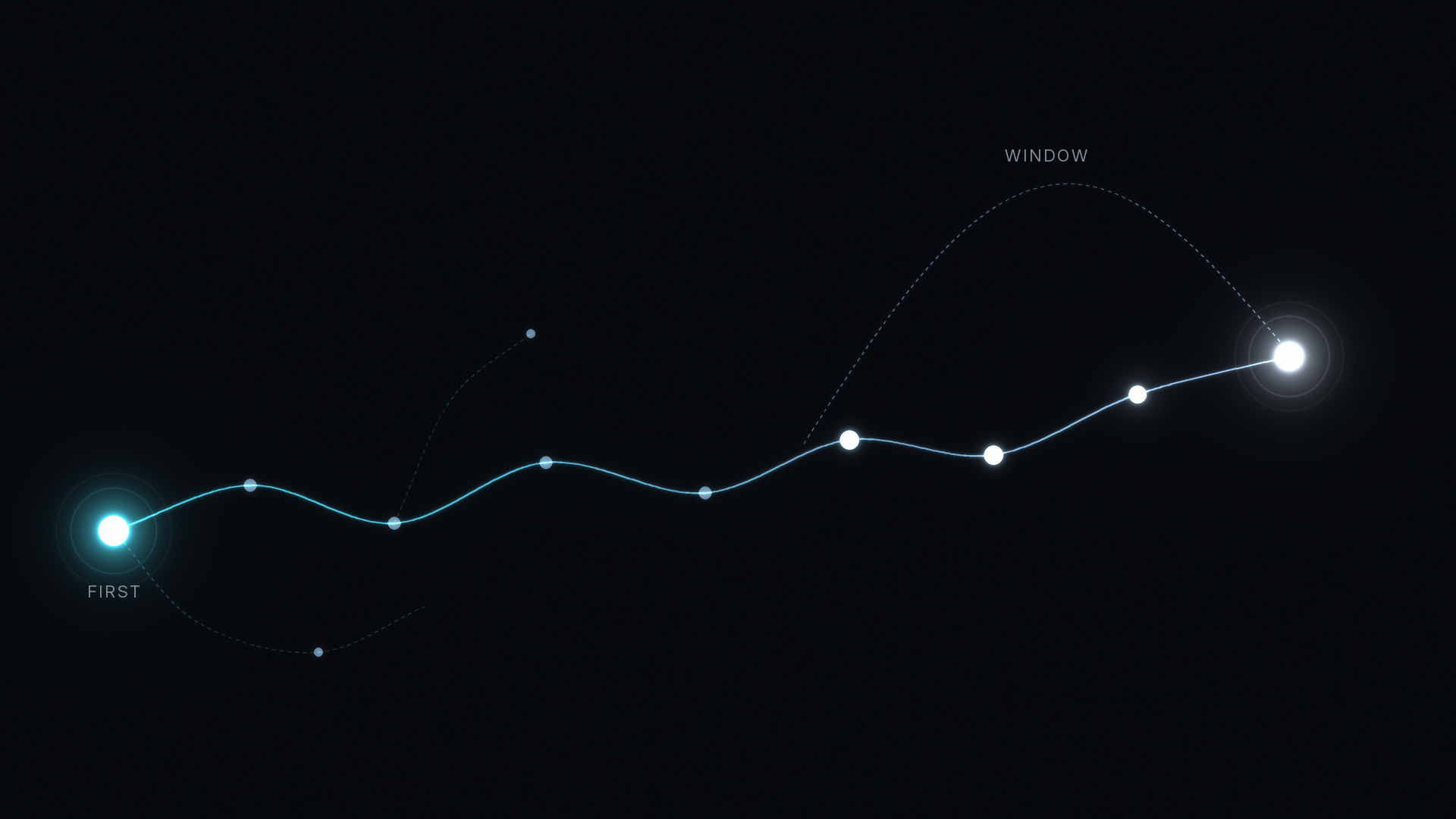
An attribution window is the number of days before a conversion in which a touch can still earn credit for it. Anything older is dropped, however much it mattered. In B2B, where a Deal can take a quarter or longer to close, the window often decides which channel gets credit before your attribution model ever runs.
You will also see it called a lookback window or a conversion window. The idea is the same in every tool: a cutoff counted backward from the conversion.
What does an attribution window actually do?
Take a Deal that closes on day 120. The buyer clicked a LinkedIn ad on day 0, read a blog post on day 40, joined a webinar on day 75, and visited the pricing page on day 104. A 90-day window sees the last three touches. A 30-day window sees only the pricing visit. A 7-day window sees nothing, so the Deal looks like it came from nowhere and usually lands in Direct.

The window does not move credit around. It removes touches from the record before any credit is assigned. That is why two reports with the same model can disagree: they are looking at different sets of touches.
How is a window different from an attribution model?
The model decides how to split credit among the touches that count. The window decides which touches count. Linear, position-based, and time-decay models all work inside the window, and our guide to how time-decay attribution weights your touchpoints shows how the weighting works once the set is fixed.
The window matters most for first-touch reporting. If the real first touch fell outside it, a first-touch model credits the oldest touch that survived the cutoff. Our post on first-touch attribution for B2B marketers covers why that first visit is worth keeping.
What windows do the ad platforms and GA4 use by default?
Each tool sets its own default, and each one only counts its own touches.
- Google Ads counts conversions for 30 days after a click on Search and Display, and you can set the click window anywhere from 1 to 90 days.
- Meta Ads Manager defaults to 7 days after a click and 1 day after a view. Since January 2026, Meta no longer offers 7-day or 28-day view windows, per its attribution settings documentation.
- LinkedIn Ads defaults to 30 days after a click and 7 days after a view, with options of 1, 7, 30, or 90 days, according to its conversion window help page.
- Google Analytics 4 looks back 90 days for most key events, with 30 or 60 as options, and 30 days for first visits.
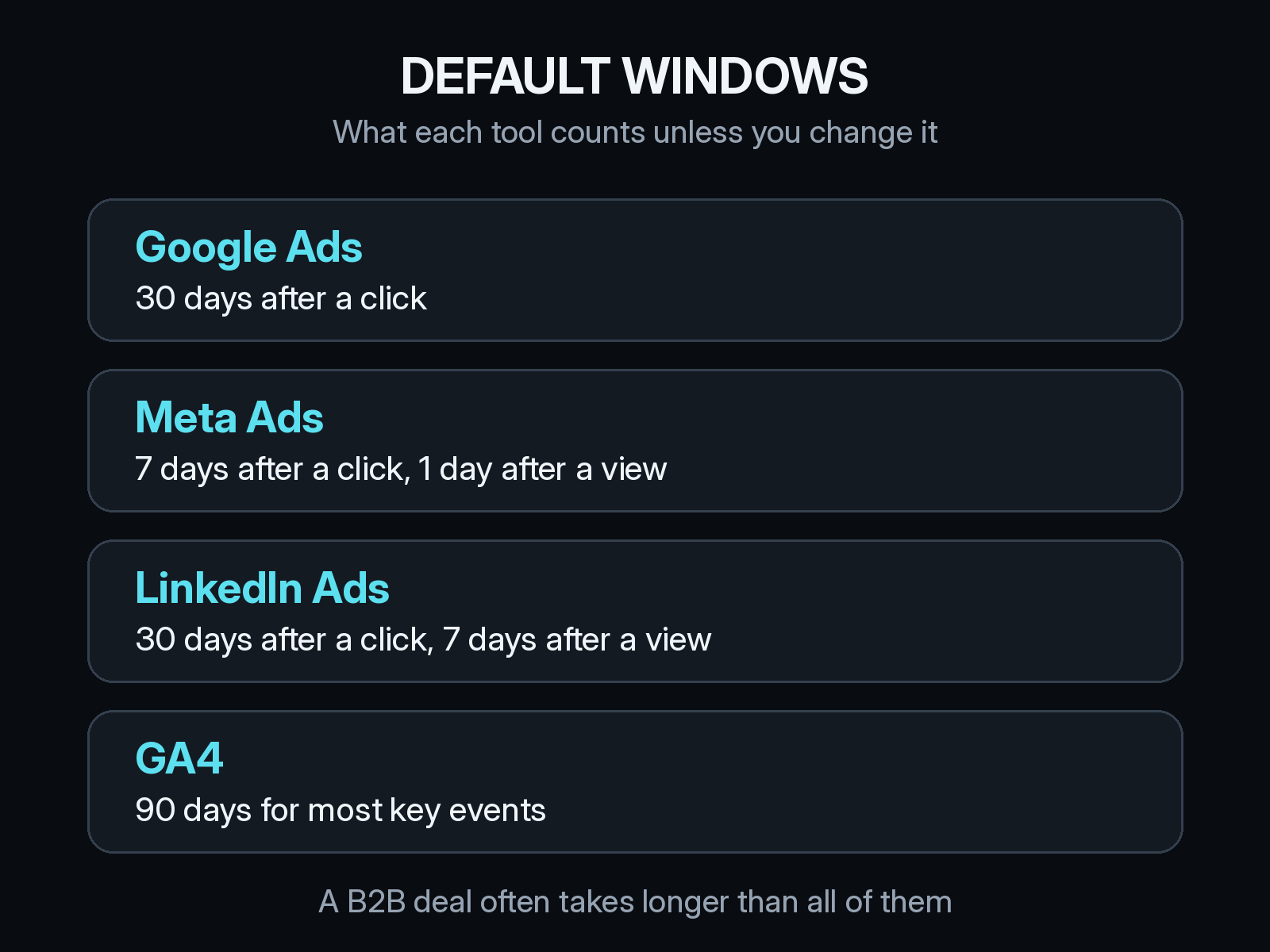
The numbers will not match across tools, because each looks back a different distance and only at its own ads. And every default is shorter than many B2B sales cycles, so the ad that opened the account is often outside every window by the time the Deal closes. Our guides to checking Google Ads conversions against real pipeline and to LinkedIn Ads attribution walk through that comparison for each platform.
Should click and view windows be the same length?
Usually not. A click is a stronger signal than an impression, which is why every platform gives views a shorter window. A short view window keeps you from crediting everyone who scrolled past a banner.
The cost is that awareness spend looks weak on long cycles. A VP who saw your ad in March and booked a demo in June will not show up in a 1-day view window. Our post on what view-through attribution means in B2B covers how to judge that spend: check whether the accounts that saw it later show up in pipeline, instead of stretching the view window until everything counts.
How long should your attribution window be?
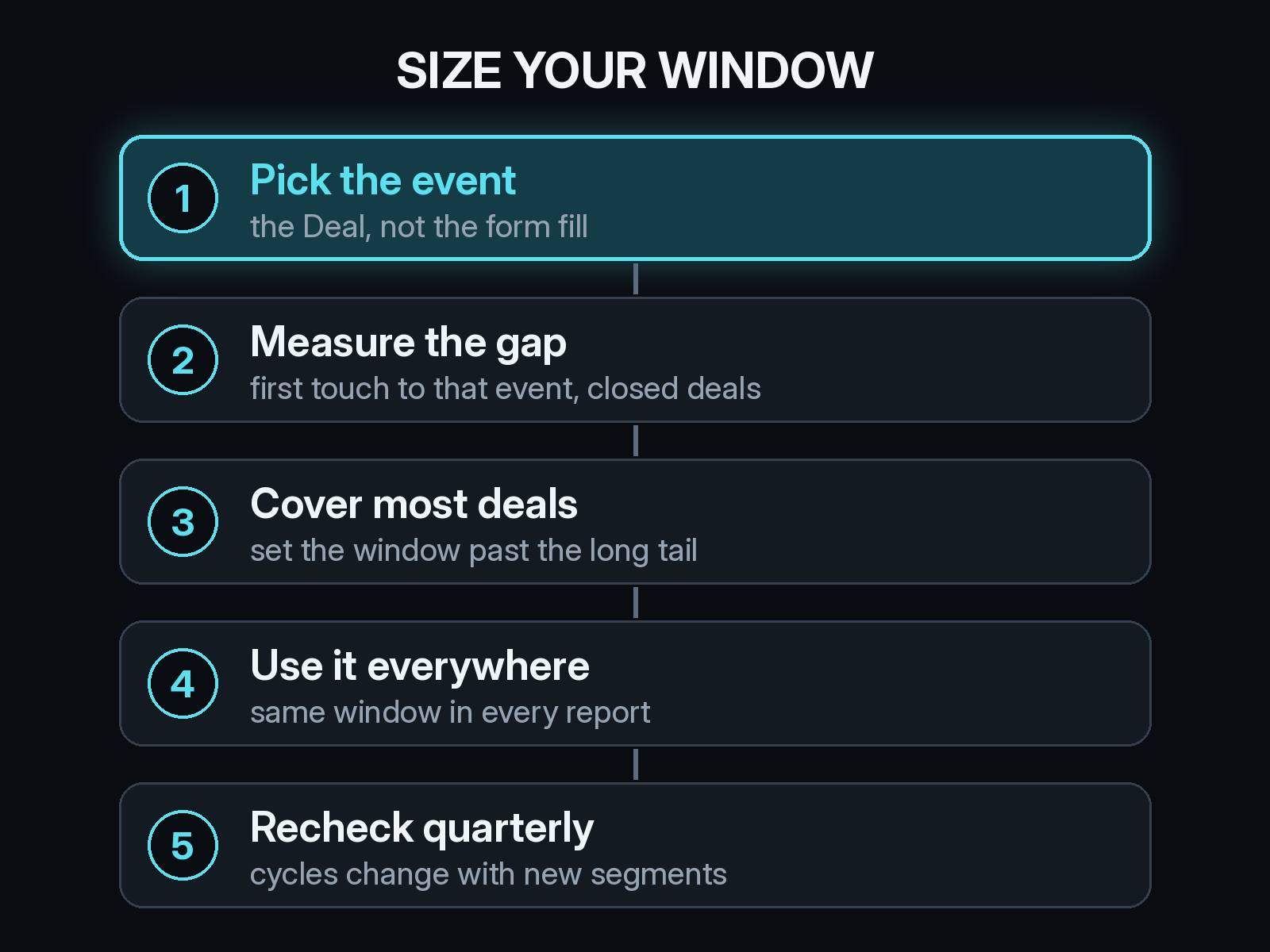
Long enough to cover the time from first touch to the event you report on, for most of your Deals. You can work it out from your own CRM in an afternoon.
- Pick the event. For B2B revenue reporting that is the Opportunity or the closed-won Deal, not the first form fill.
- Measure the gap. Pull last year's closed-won Deals and count the days from the first recorded visit to the Deal date.
- Cover most Deals. Set the window past the point where most of those Deals fall, not at the median. The median hides the long, large Deals that matter most.
- Use it everywhere. Compare reports only when they share a window.
- Recheck each quarter. Moving upmarket or adding a new segment changes cycle length.
Does the right window change by conversion event?
Yes. On source.app, 212 contacts converted in the last 90 days. The median time from first visit to conversion was zero days, and the longest was 14. For a free signup, a 30-day window sees almost everything.
A Deal that follows a signup can still take months. A window sized for signups would cut off the touches that started those Deals. Set short windows for signups and demo requests, and long ones for Opportunities and closed-won revenue.
What happens to touches that fall outside the window?
In ad platforms, they drop out of reporting, and you cannot widen the window later to get them back. In your own data, they are only gone if you never stored them.
Keep the full visit history tied to each Contact and Deal, then apply whatever window a report needs. That way the window stays a reporting choice you can change later. Our posts on tying pipeline back to the first visit and what your CRM attribution report leaves out cover how to keep that history connected.
How Source keeps the whole path
Source installs with one pixel or Google Tag Manager, with no data warehouse to build. It records each visit from the first one and ties the path to Contacts and Deals in your CRM, including HubSpot, so a touch from months earlier is still on the record when the Deal closes. You can read that path under multi-touch models, alongside view-through, offline, and LLM attribution for ChatGPT, Claude, Perplexity, and Gemini, plus real CAC, goals, and channel quality.
You can chat with your data, get AI recommendations, and receive daily Slack reports on where Deals came from. Source is SOC 2 Type II and ISO 27001 certified, and customer data is not used to train external models.
Start free at dash.source.app/signup and compare what your ad platforms report with the full path behind your last few Deals.