


Who gets credit when a B2B buyer searches your brand name?
When a B2B buyer searches your brand name and clicks, that click deserves credit for the last step and little else. Branded search attribution means treating the brand click as proof that something earlier worked, then tracing the buyer's path back to find what that was. Last-click reports skip that second part, which is why brand search so often looks like your best channel.
We get asked about this a lot, usually by a team deciding whether to keep paying for brand ads. Below are the questions that come up most.
Why does branded search look like our best channel?
Because it sits at the end of the path. By the time someone types your company name into Google, they already know you exist and are close to a decision. Cost per conversion is low and conversion rate is high, and every dashboard that credits the last click hands brand search the deal.

The touches before the search tend to be the hard ones to track: a podcast episode, an answer in ChatGPT, a teammate's LinkedIn post, a page of reviews on G2. None of them carry a clean click, so the credit flows to the one step that does. The same thing happens to Direct traffic, which we covered in B2B attribution myths that inflate Direct traffic.
Did the brand ad create demand or catch it?
Mostly it caught it. A person searching your exact name was going to find you. The ad decides whether they land on your page through a paid listing or the organic result right below it.
That does not make the ad worthless. Brand ads protect the top of the results page when competitors bid on your name, let you control the message and landing page, and pick up searches where your organic listing is weak. Those are real jobs. They are just smaller than the conversion count in Google Ads suggests.
Should we keep paying for brand search ads?
Usually yes, at a budget that matches what the ads actually do. Brand clicks are cheap, and losing the top slot to a competitor on your own name costs more than the spend. The mistake is reading brand search conversions as growth and moving budget toward them.
Before you cut or raise brand spend, run through these checks.
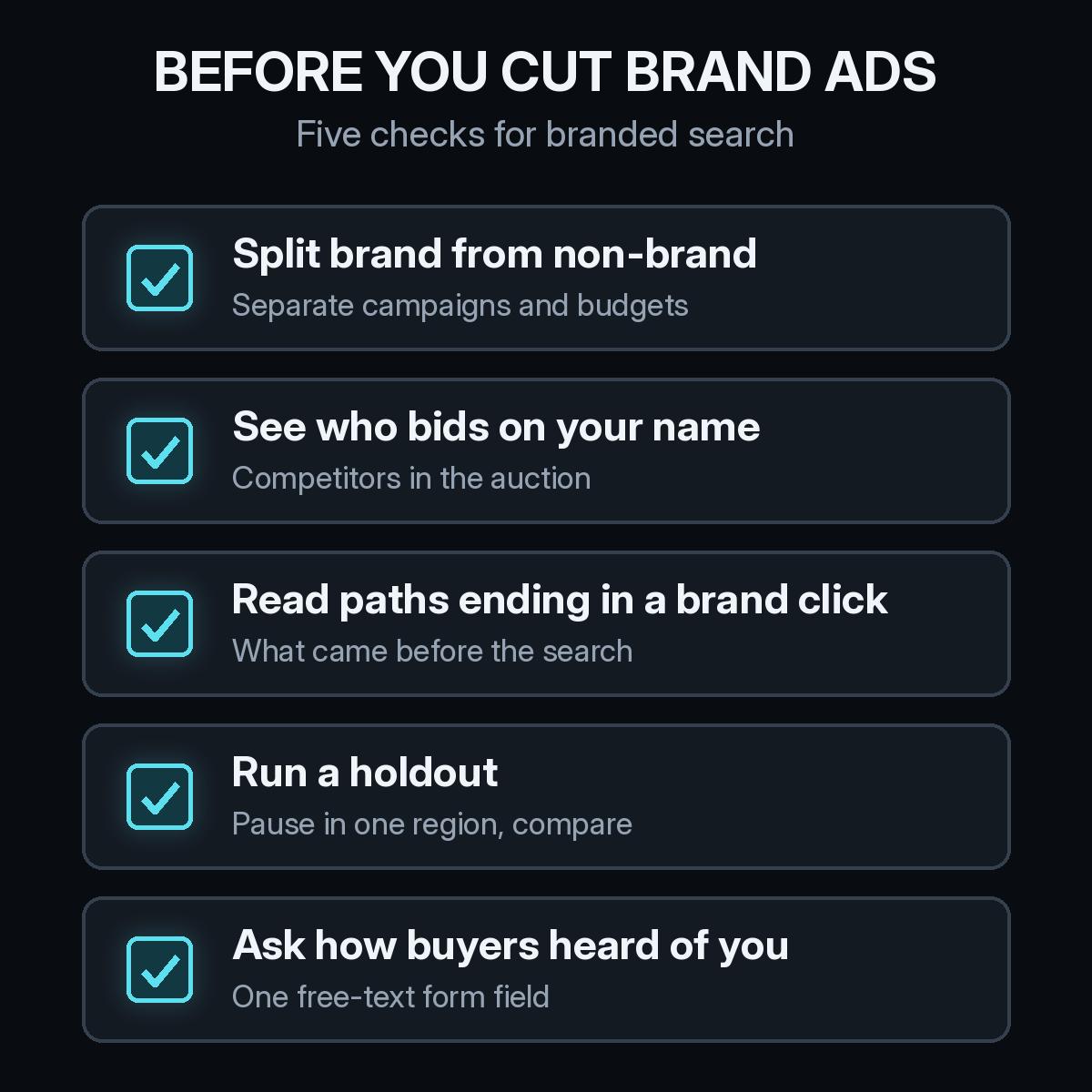
- Split brand from non-brand. Give brand terms their own campaign and budget so they never blend into generic search results. Do the same in Microsoft Advertising if you run it.
- See who bids on your name. The auction insights report in Google Ads shows which advertisers appear on your brand terms. If no one does, your organic result may catch most of those clicks without the ad.
- Read the paths that end in a brand click. Pull the deals where brand search was the last touch and look at what came first.
- Run a holdout. Pause brand ads in one region for a few weeks and watch total demos from that region, paid and organic together. Our guide on how to run an incrementality test without losing the deal path covers the setup.
- Ask how buyers heard of you. A free-text field on the demo form catches the podcast or the friend that no tracking will see.
Check organic too. Google Search Console shows clicks on your brand queries, and if organic clicks rise when the ad is paused, the ad was mostly taking clicks you would have had anyway.
How do you find what made buyers search your name?
Connect the brand click to everything the same person did before it. Most buyers visit your site a few times before they ever search your name, often from another device or without filling out a form. Those visits are anonymous until the buyer converts.
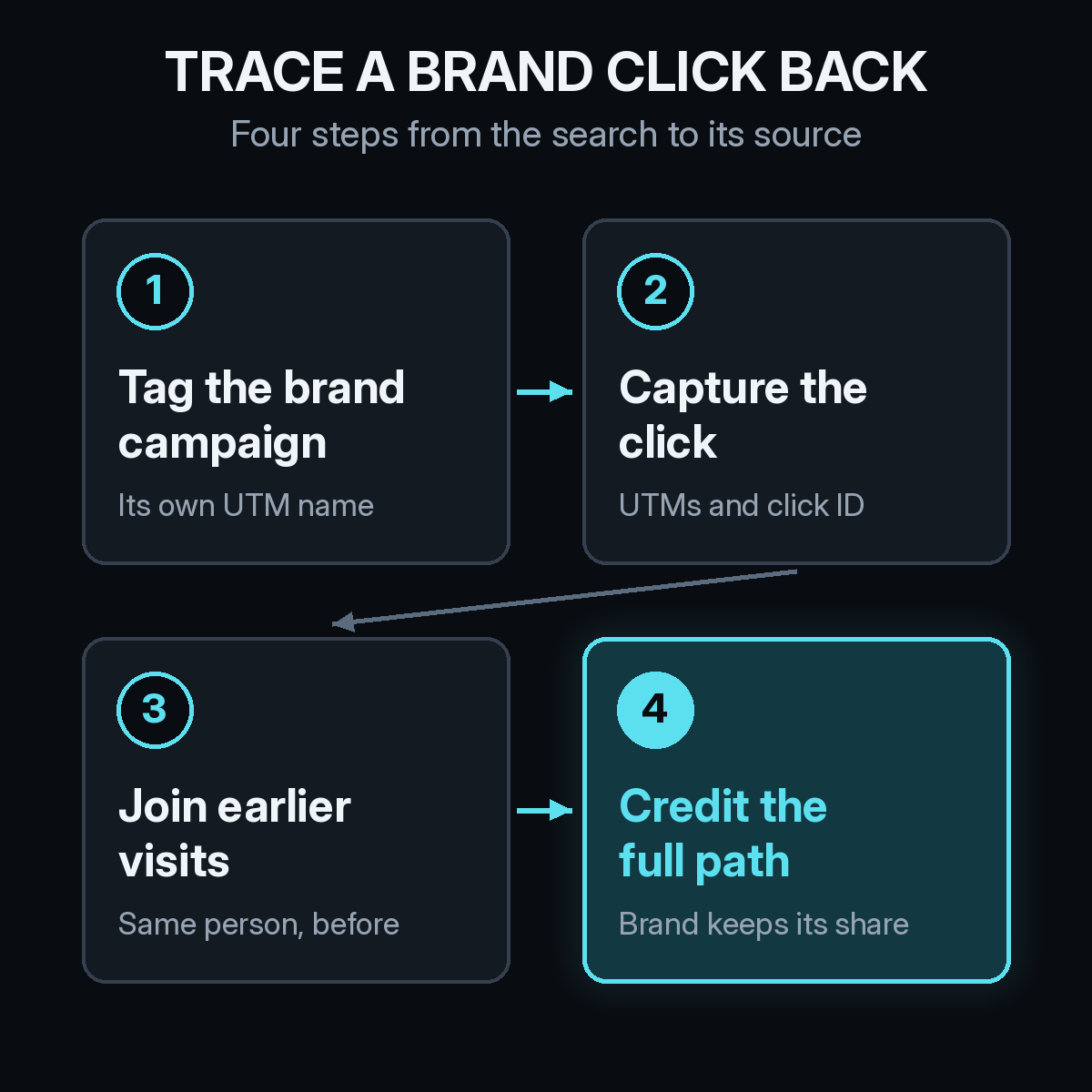
- Tag the brand campaign on its own. Use a distinct UTM campaign name so brand clicks are easy to separate.
- Capture the click on the visit. Store the UTMs and the click ID when the visitor lands, not only at the form.
- Join earlier visits. When the buyer signs up or books a demo, attach their earlier anonymous visits to the same person. How identity resolution connects anonymous visits to B2B pipeline explains how that join works.
- Credit the full path. The brand click keeps a share, and the touches that started the journey get theirs.
Self-reported answers fill the gaps tracking cannot. Put them next to the tracked path instead of replacing it. Our self-reported attribution checklist shows how to set up the question and read the answers.
How should branded search be credited in a multi-touch model?
As one touch on the path, usually a late one. In a position-based model, a brand click that converts gets the last-touch share and the first touch gets an equal one, so a podcast listener who later searched your name credits both. In a linear model, brand search gets the same share as every other touch.
Whatever model you pick, look at brand search two ways. First as a channel, with its own spend and its own credited pipeline. Then as a signal: a rise in brand searches after a launch, an event, or a podcast run tells you the earlier work is landing, even when that work never gets a click.
What goes in a branded search report?
- Brand spend and cost per click, kept apart from non-brand search.
- Pipeline and revenue credited to brand search under your multi-touch model, next to its last-click number.
- The first touch on deals that ended with a brand click, grouped by channel.
- Brand search volume over time, lined up with launches, events, and campaigns.
The gap between the last-click number and the multi-touch number is the credit that belongs to your other channels. That gap is usually the most useful line in the report.
How Source handles branded search
Source installs with one pixel or Google Tag Manager, with no data warehouse to build. It records the UTMs and referrer on every visit, keeps a buyer's earlier anonymous visits once they convert, and ties the full multi-touch path to Contacts and Deals in your CRM, such as HubSpot. A brand click shows up as one touch on that path, alongside view-through, offline, and LLM attribution for ChatGPT, Claude, Perplexity, and Gemini.
You get real CAC by channel, goals, and channel quality in one place, so brand search sits next to the channels that fed it. You can chat with your data, read AI recommendations, and get daily Slack reports. Source is SOC 2 Type II and ISO 27001 certified, and customer data is not used to train external models.
Start free at dash.source.app/signup and see what your buyers did before they searched your name.