


Your AI search attribution questions, answered
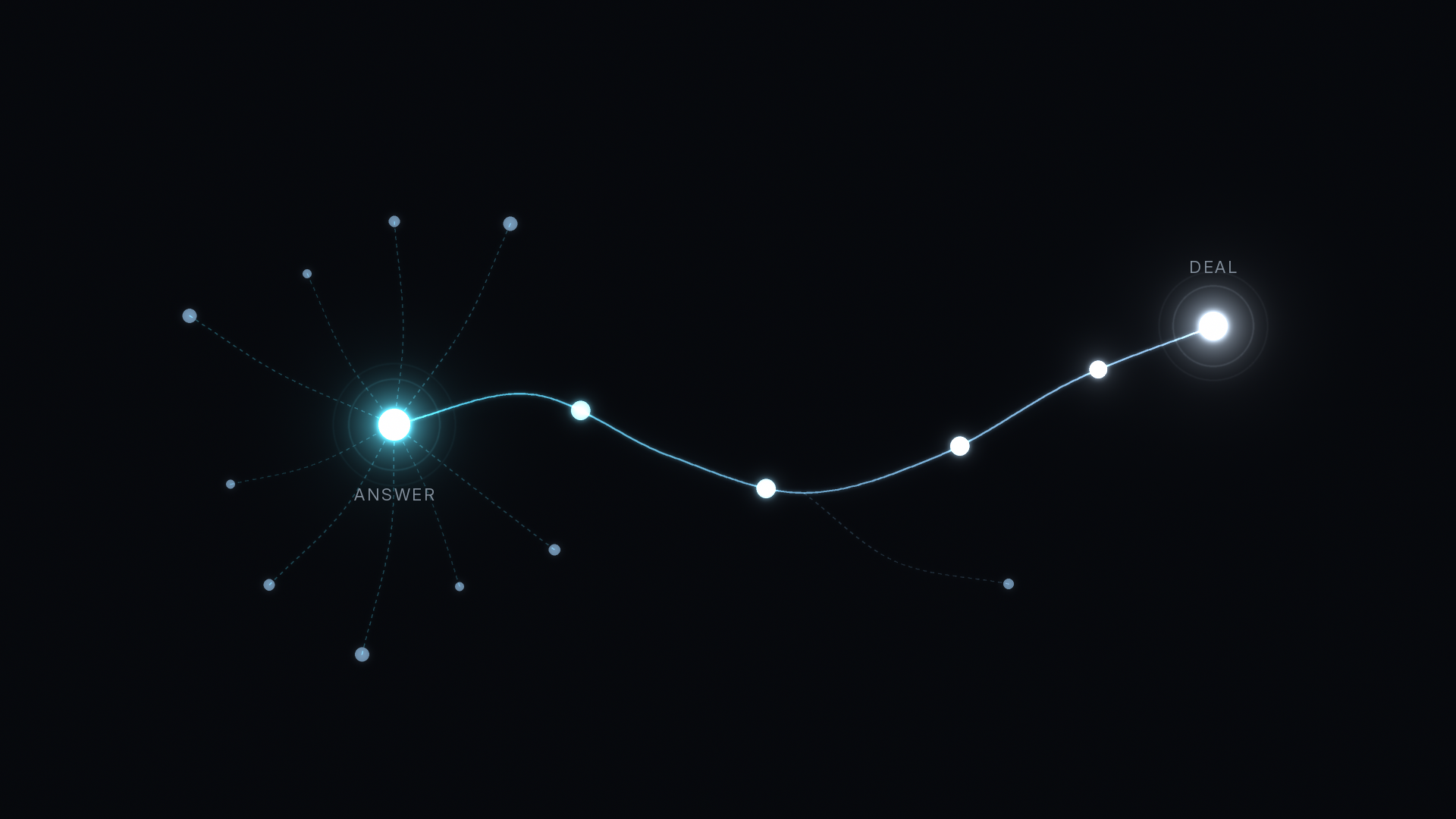
AI search attribution connects a B2B deal to the AI answer that first sent the buyer to your site. That answer might be a ChatGPT citation, a Perplexity source link, a reply in Gemini or Claude, or a Google AI Overview. Some of those visits arrive clearly labeled. Many show up as Direct, as Organic Search, or as a branded search a week later. Attribution here means reading each label for what it is and following the same buyer all the way to the Deal.
B2B buyers now ask AI tools for vendor shortlists, setup advice, and pricing comparisons before they ever fill out a form. The answers below cover where that traffic lands in your reports and how to connect it to pipeline.
Where does AI search traffic show up in analytics?
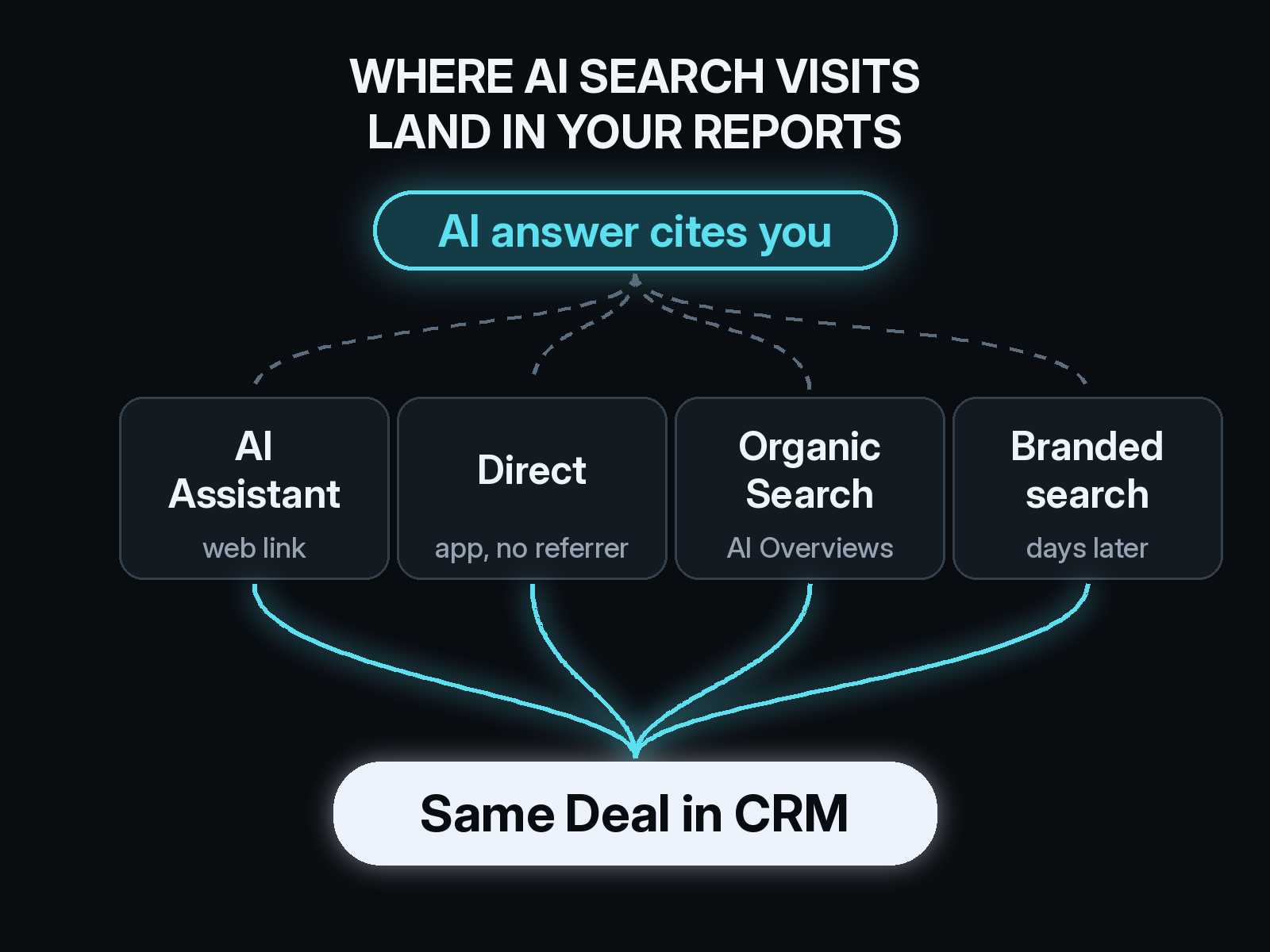
It depends on the tool and on how the buyer clicked. When someone clicks a link in the ChatGPT web app, the visit usually carries chatgpt.com as the referrer. OpenAI also adds utm_source=chatgpt.com to many citation links, without a utm_medium, so the same visit can appear with a source and no medium. Perplexity, Claude, Gemini, and Microsoft Copilot pass their own domains as referrers from their web apps.
Google Analytics 4 added an AI Assistants default channel in 2026 for recognized assistants such as ChatGPT, Gemini, and Copilot. Google’s definition excludes AI Overviews and AI Mode, Perplexity is not on the named list, and sessions recorded before the channel reached your property keep their old Referral label. Treat that channel as a floor for AI traffic, not the full count.
Why does so much AI search traffic look like Direct?
Desktop and mobile AI apps often open links without sending a referrer. Buyers also copy a URL out of an answer and paste it into a new tab. Both cases reach your site with no source at all, so analytics files them under Direct.
The bigger share never clicks. A buyer reads an answer that names your company, closes the tab, and searches your brand or types your domain a few days later. That visit looks like branded search or Direct, and the AI answer that started it gets no credit. It is the same pattern that hides word of mouth, and the methods that help you find the deals hiding in Direct traffic apply here too.
Do Google AI Overviews and AI Mode count as organic search?
Yes. Clicks from AI Overviews and AI Mode are counted inside the Web search type of the Performance report in Google Search Console, mixed in with regular results. Analytics tools record them as Organic Search from Google.
Search Console now has a generative AI performance report that shows impressions in AI Overviews and AI Mode by page, country, and device. It does not show clicks. Use it to learn which of your pages Google shows inside AI answers, then watch those pages for conversions in your own data.
How do you tie an AI search visit to a B2B deal?
Capture the source on the first Visit and keep it. A first-party script records the landing page, the referrer, and any UTM tags when the buyer arrives. When that person later fills out a form, the earlier Visits join their Contact record, and the Contact joins the Deal in your CRM. The AI visit from three weeks before the demo stays on the path instead of disappearing behind the last click.
Multi-touch credit matters here because AI answers tend to show up early, during research. A last-click report hands the Deal to the branded search or the demo email and skips the answer that put you on the shortlist. Our guide on how to attribute ChatGPT and other LLM traffic covers the referrer patterns for each assistant in more detail.
What should you set up first?
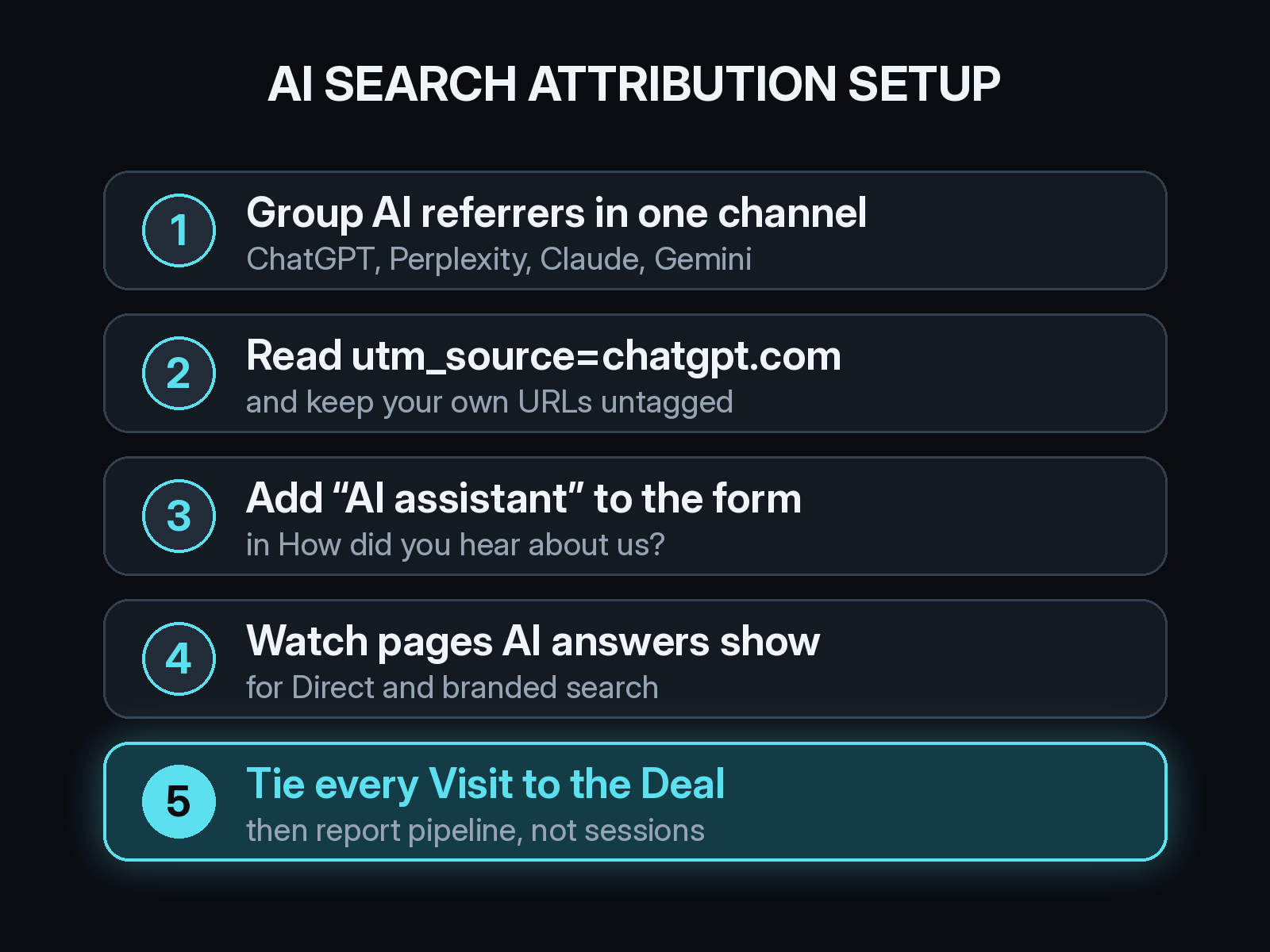
Start with one AI search channel. Group the referrers chatgpt.com, perplexity.ai, claude.ai, gemini.google.com, and copilot.microsoft.com together, and add a rule for utm_source=chatgpt.com so tagged visits without a medium land in the same place.
Leave your own URLs untagged. The link an AI answer shows is the canonical URL it read on your site. Adding UTM tags to your own pages would label every visitor as AI traffic, including the ones from email and organic search.
Add an AI assistant option to your “How did you hear about us?” field, with a free-text box next to it. Self-reported answers catch the buyers who read about you in an answer and arrived days later through another door. We wrote about when to trust “How did you hear about us?” answers and how to read them next to tracked data.
Then connect every Visit to a Contact and a Deal in your CRM, whether that is HubSpot or another system. Without that join you can count AI sessions but not the pipeline they started.
How do you know whether AI answers mention your brand?
Run the questions your buyers ask through ChatGPT, Perplexity, Gemini, and Claude on a regular schedule. Write down whether your company appears, which page gets cited, and which competitors show up next to you. Answers change over time, so a monthly check tells you more than a single test.
Pair that log with your own data. A page that gets cited in answers and also gains Direct visits, branded searches, and AI Assistant sessions is doing work your click reports undercount. A page that never gets cited needs a clearer, more direct answer near the top.
Is AI search traffic worth reporting to leadership yet?
Report it as its own line, measured in pipeline and Deals, not sessions. Even when the visit counts are small, a channel that starts qualified Meetings deserves a place on the slide. Combine tracked AI visits with self-reported AI answers so the number reflects buyers who read about you without clicking. Our playbook on how to put marketing attribution on the board slide shows where a line like this fits.
How Source handles AI search attribution
Source tracks visits from ChatGPT, Claude, Perplexity, and Gemini as LLM traffic and carries them through to Contacts and Deals with multi-touch attribution. Setup is one pixel or Google Tag Manager, with no data warehouse to build. You can chat with your data, get AI recommendations, and receive daily Slack reports on which channels start real pipeline and what each one costs.
You can start free at dash.source.app/signup and see where your AI search visits go after the first click.