


Why outbound belongs in your B2B attribution reports

Outbound attribution means putting cold emails, SDR calls, and LinkedIn messages on the same buyer path as your ads, content, and website visits, so a deal that started with outreach gets credit for it. Most B2B attribution reports leave outbound out because the touches happen in an inbox or on a call, not on your website. We think that is a mistake, and it is fixable with a few logging rules and a tool that reads the CRM and the website together.
When outbound is missing, two things go wrong at once. Sales thinks marketing reports are fiction, and marketing over-credits whatever channel the buyer used when they finally showed up. Both teams end up arguing about a path neither of them can see.
Why does outbound vanish from B2B attribution?
A typical outbound-sourced deal looks like this. A rep sends a cold email. The buyer reads it and does not click. Two weeks later they get a LinkedIn message, still no click. Then they search your company name, read the pricing page, and request a demo.
Your web analytics records a branded search visit and a form fill. If you use last-touch, branded search wins the deal. If you use first-touch on web data alone, branded search wins too, because the email and the message never touched your site. We covered how often this happens in who gets credit when a buyer searches your brand name. Outbound is one of the biggest reasons brand search looks better than it is.

Isn't outbound a sales metric, not a marketing one?
That split made sense when sales tracked meetings in a spreadsheet and marketing tracked leads in an automation tool. It does not hold up for a modern B2B team. Buyers do not care which department sent the email. They see one company reaching out across email, LinkedIn, ads, and events.
Keeping outbound in a separate report creates the exact fight described in when sales and marketing both claim the same deal. Sales points to the sequence, marketing points to the retargeting ad, and nobody can show the order things happened in. One shared path, with every touch dated, ends that argument faster than any credit-splitting policy.
It also changes budget decisions. If outbound sources a lot of pipeline but never appears in attribution, you will underfund SDRs and overfund the channels that happen to catch buyers at the end.
What should you log for every outbound touch?
Outbound tools like Outreach, Salesloft, Apollo, and the sequences in HubSpot already record a lot of this. The work is making sure it lands on the contact and the deal in a shape attribution can read.
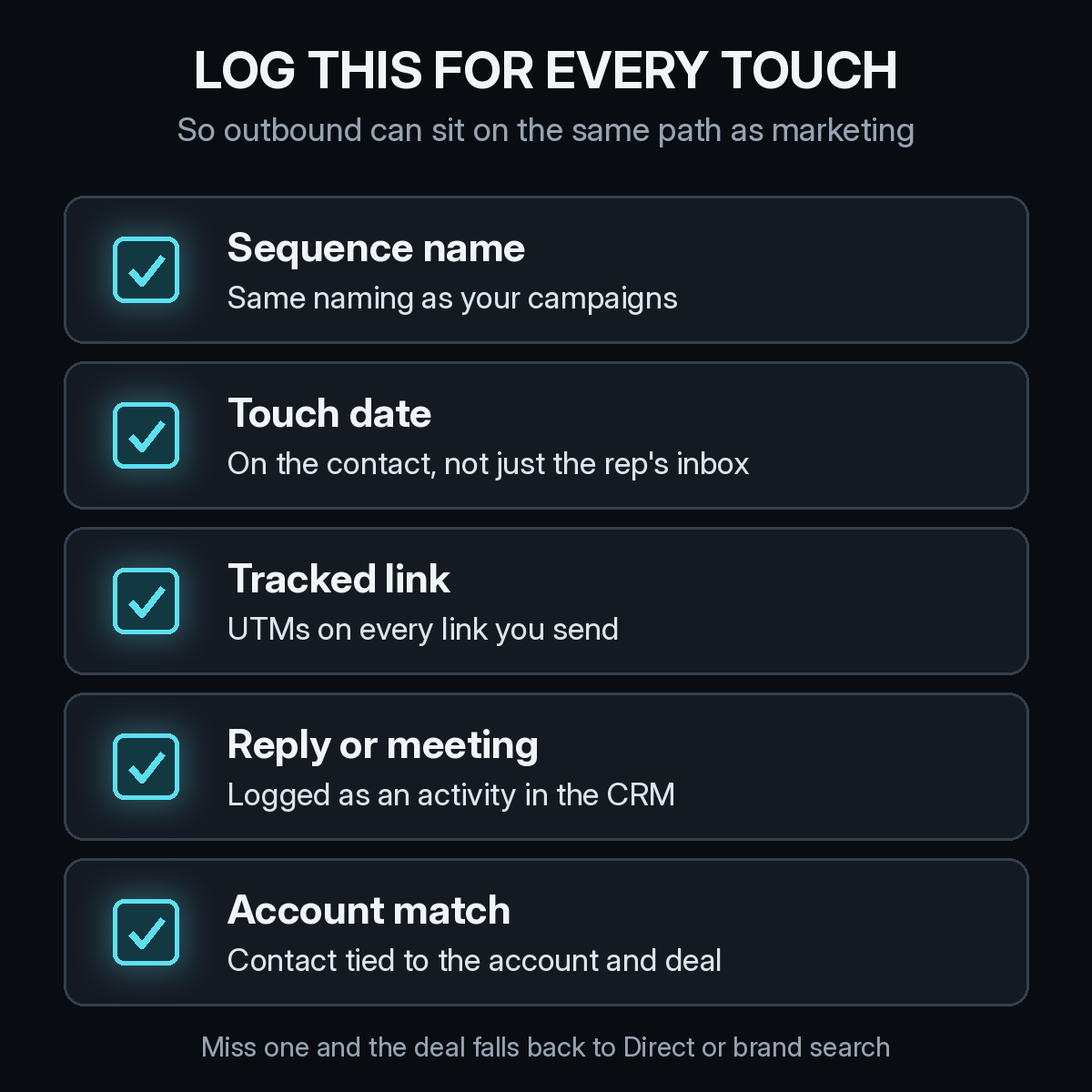
- Sequence or campaign name. Name sequences the same way you name marketing campaigns, so "Q4 RevOps outbound" means one thing everywhere.
- Touch date on the contact. The email date needs to live on the contact record in your CRM, not only in a rep's inbox.
- A tracked link. Put UTM tags on every link reps send, for example
utm_source=outbound&utm_campaign=q4-revops. Our list of UTM mistakes that send B2B deals to Direct applies to sales links too. - Replies and meetings as activities. A reply or a booked call should be a logged activity with a date, not a note in a free-text field.
- Account match. Every contact touched should be tied to the right account and, later, the right deal. Duplicate accounts are one of the CRM hygiene problems that break attribution.
How do you connect an email nobody clicked to a later visit?
Most outbound touches will never produce a click, and that is fine. What matters is that the touch is dated on a known contact. When that same person later fills in a form or books a demo, their earlier anonymous visits can be tied to them, and the outbound activity from the CRM can be placed in front of those visits on one timeline.
That is the job of identity resolution, which we explained in how identity resolution connects anonymous visits to B2B pipeline. It is also why self-reported answers help. A buyer who writes "your rep emailed me" on a demo form is giving you the missing link directly, which is why we recommend the questions in our self-reported attribution checklist.
How much credit should outbound get?
Our view: do not invent a special rule for outbound. Put it on the path and let the same model you use for every other channel assign credit. In a first-touch model, an outbound email that started the conversation gets full credit. In a position-based or W-shaped model, it shares credit with the touch that created the lead and the touch that created the opportunity.
Two practical checks keep this honest. First, only count touches that happened before the opportunity was created when you talk about sourced pipeline. Second, look at outbound pipeline per rep hour or per sequence, not just raw volume, so you can compare the real cost of outbound with paid channels. Our guide to reading CAC by channel walks through that comparison.
How Source puts outbound on the same path
Source installs with one pixel or Google Tag Manager, with no data warehouse to build. It records every visit with its UTMs and referrer, connects the path to contacts and deals in your CRM, and lets you add offline touches like calls and meetings to the same journey. You get multi-touch, view-through, offline, and LLM attribution, plus real CAC, goals, and channel quality, so outbound can be measured next to ads and content.
You can chat with your data to ask which sequences sourced pipeline this quarter, get AI recommendations, and receive daily Slack reports. Source is SOC 2 Type II and ISO 27001 certified, and customer data is not used to train external models.
Start free at dash.source.app/signup and give your outbound team the credit their work has earned.