


Content attribution in five steps, from first read to closed deal

Content attribution connects a B2B deal to the blog posts, guides, and pages a buyer read before they became a lead. The post that introduced a buyer to your company gets credit for that deal, even when the signup happened weeks later on the pricing page after a Direct visit.
Most analytics setups miss this. A blog post almost never gets the last click, so a report built on page conversions shows the blog as a traffic source with no revenue attached. We see the same pattern on our own blog: article pages rarely convert in the same session, yet readers come back through other pages and sign up later. The five steps below show how to measure that path from first read to closed deal.
Why do blog posts rarely get credit for pipeline?
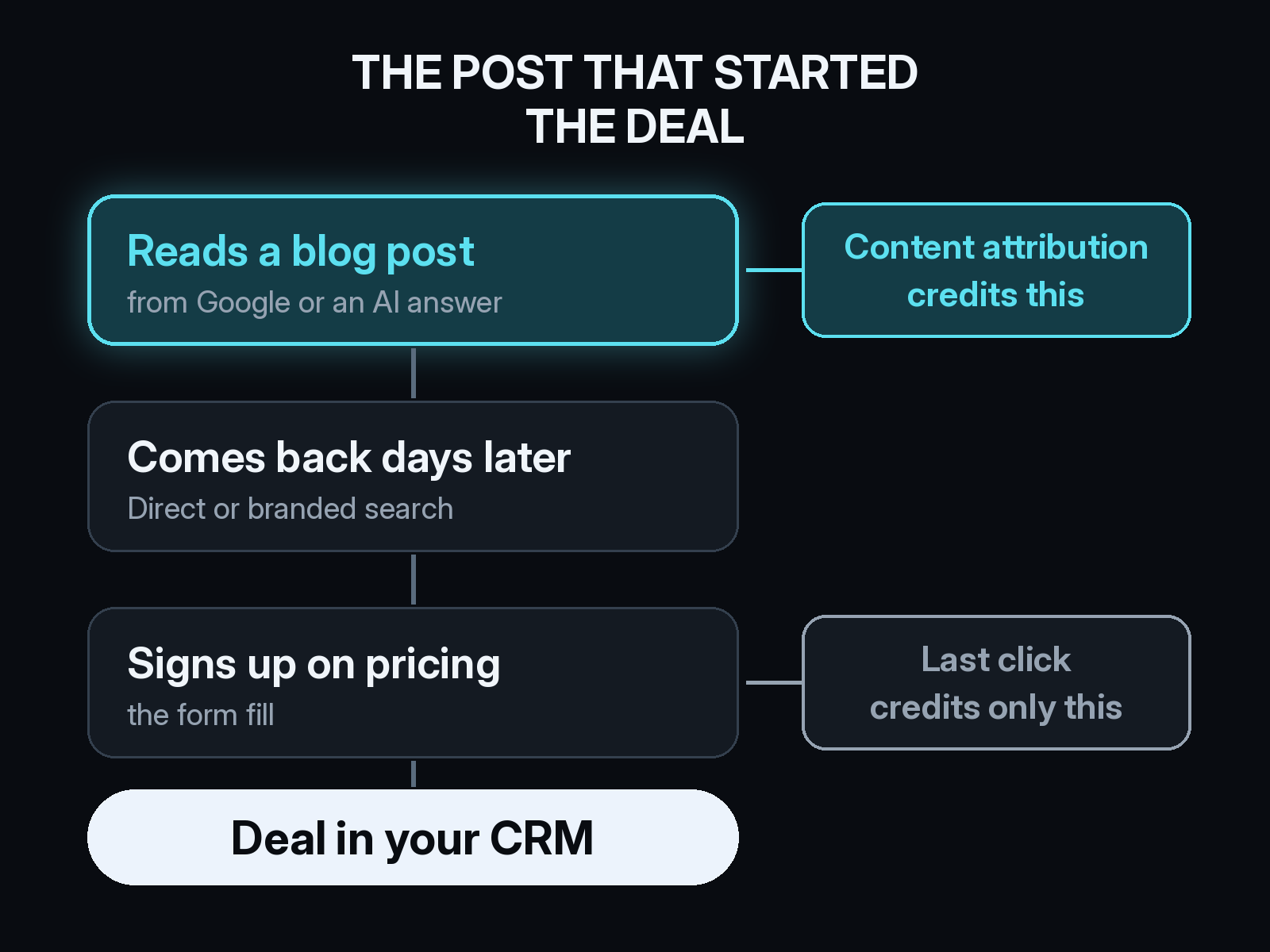
B2B buyers read before they talk to anyone. They find a post through Google, an AI answer, or a newsletter link, read it, and leave. The next visit comes days later as a Direct session or a branded search. The form fill happens on a demo or pricing page.
Last-click reporting gives that deal to Direct or branded search. Page-level conversion reports in Google Analytics 4 count the conversion in the session where it happened, so the post that started the research shows zero. Pageviews go up, and nobody can say whether the content produced a single Opportunity.
Fixing it takes one identity per buyer across visits, a link to the CRM, and a model that credits more than the final touch.
Step 1: Follow each reader across visits
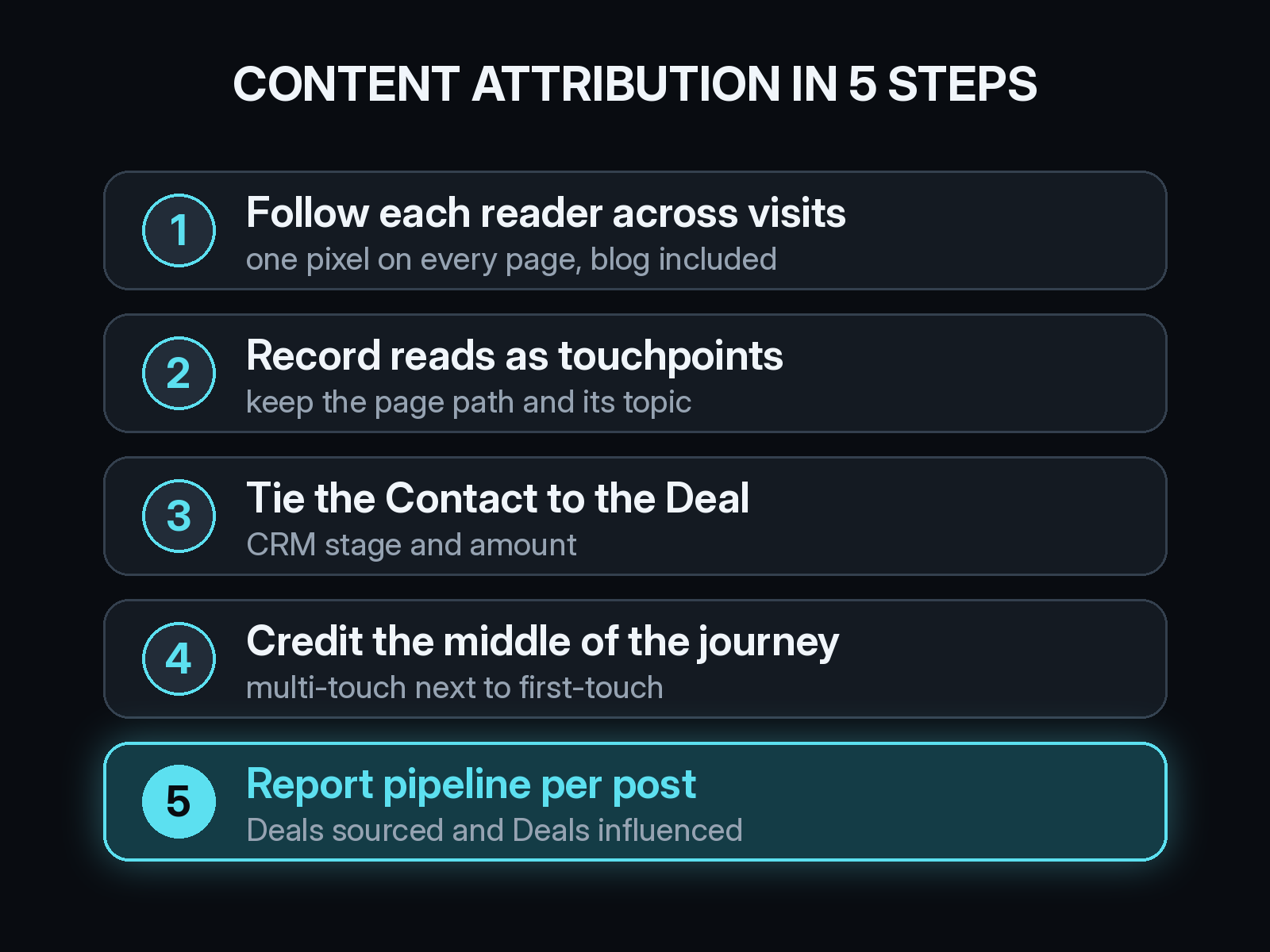
Content attribution starts with knowing that the person who read your post on Monday is the person who booked a demo on Friday. A first-party tracking pixel on every page, blog included, records anonymous visits under one visitor. When that visitor fills a form or signs up, the earlier visits attach to the new Contact.
If your blog lives on a subdomain or a separate CMS, install the same pixel there. Check what your consent banner does to the data too, since refused cookies remove visits from the path. Our guide to how cookie consent changes marketing attribution covers what to expect.
Step 2: Record content reads as touchpoints
A blog post can show up anywhere in the journey. It might be the first visit, a page someone read on their third visit, or the link a sales rep sent before a call. Count every article view as a touchpoint on the buyer's path and keep the page path with it.
Then group posts by topic. One post rarely touches enough deals to read on its own, while a cluster of posts about one problem often does. Tag each URL with its topic and its format, so you can later see whether how-to guides, opinion pieces, or product announcements do more for pipeline.
Step 3: Tie the Contact to the Deal in your CRM
Leads are a weak stand-in for revenue. To know whether content produced pipeline, the Contact who read the post has to connect to a Deal in your CRM, such as HubSpot, along with its stage and amount. That link turns a readership count into a list of Deals each post touched.
Make sure Contacts are associated with Deals consistently, including the second and third buyer on an account. A Deal with one associated Contact hides most of the reading the buying group did. We wrote more about the records that need to line up in what B2B attribution actually has to connect.
Step 4: Choose a model that credits the middle of the journey
The model decides how much credit a post gets. First-touch shows which posts bring new buyers in. Last-touch hides content almost entirely. Multi-touch models spread credit across the path, so a guide read in the middle of a long evaluation counts too.
For content, position-based is a sensible default. It gives most of the credit to the first touch and the lead-creation touch and shares the rest with everything in between. Our guide to position-based (U-shaped) attribution walks through the weights. Run first-touch next to it so you can see which posts start journeys and which ones help them along.
Step 5: Report pipeline per post and per topic
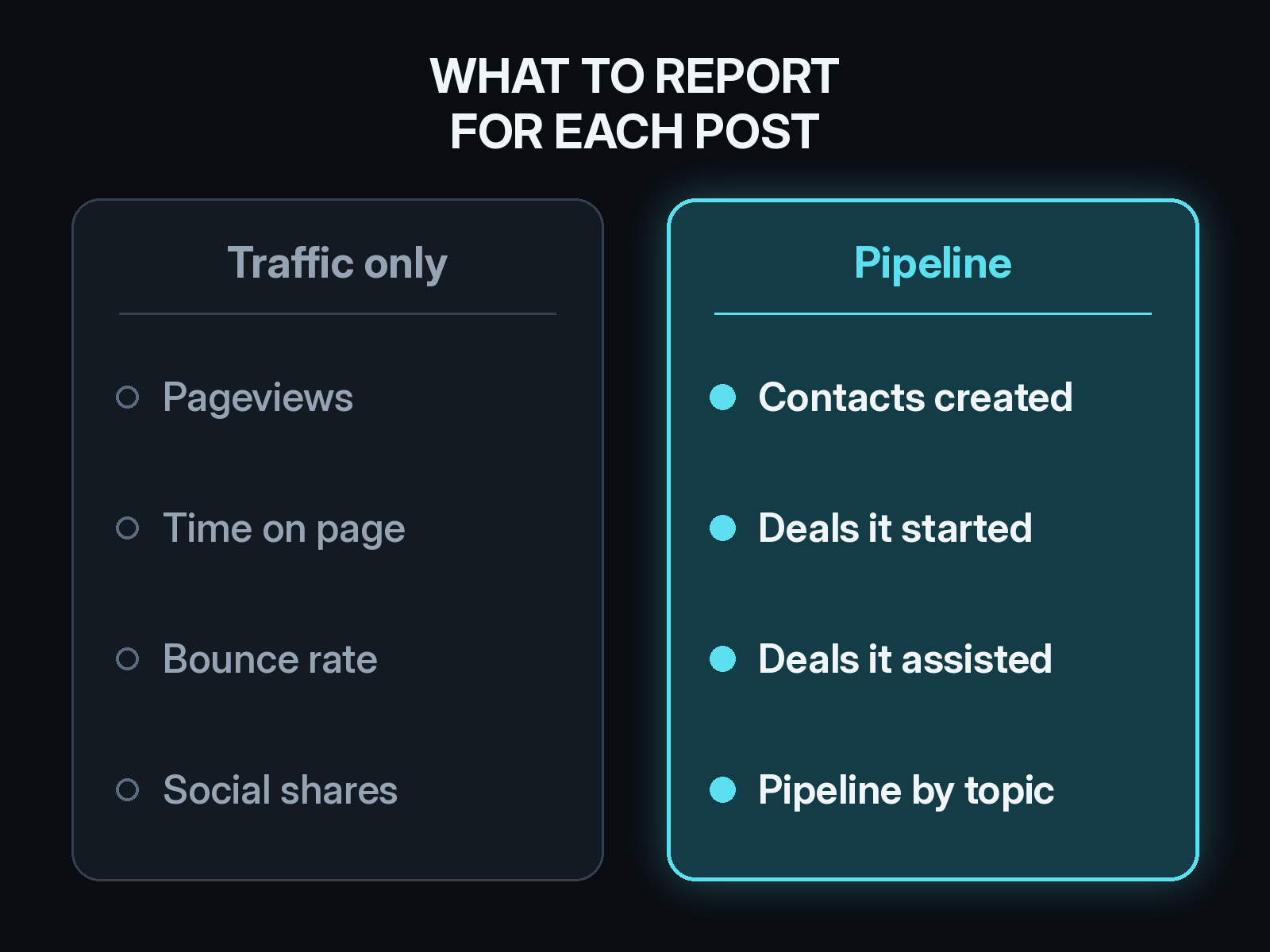
Swap the pageview report for a short list of numbers on each post and each topic cluster:
- Contacts created by readers of the post
- Deals where the post was the first touch, often called content-sourced pipeline
- Deals where the post appeared anywhere before the Deal was created, often called content-influenced pipeline
- Pipeline and closed-won revenue on those Deals
Assists deserve as much attention as first touches. A pricing explainer or a setup guide often shows up late in the path, right before a meeting. Our piece on assisted conversions explains how to count those touches without double-counting revenue.
Once you know pipeline per topic, you can work out content cost per Deal. Divide what you spent writing and promoting a cluster by the Deals it sourced, the same way you would read CAC by channel.
What about readers who never click through?
Some content does its work off your site. A buyer reads an answer in ChatGPT or Perplexity that cites your post, then types your URL a week later. That visit lands in Direct, and the post gets nothing.
Track LLM referrals as their own channel so the clicks that do come through stay visible. Add options like "AI assistant" and "your blog" to the "How did you hear about us?" field on your forms, then read those answers next to the tracked path. Our AI search attribution FAQ covers where these visits show up, and our look at whether to trust self-reported attribution covers how much weight the form answers can carry.
Google Search Console fills in the top of the funnel. It shows which queries put each post in front of buyers on Google before anyone clicks.
How Source measures content attribution
Source tracks every visit with one pixel or Google Tag Manager, with no data warehouse to build. It ties blog reads to Contacts and Deals, so you can see which posts start pipeline and which ones assist it, under first-touch or multi-touch models. View-through, offline, and LLM attribution for ChatGPT, Claude, Perplexity, and Gemini sit on the same path, along with real CAC by channel.
You can chat with your data in plain English, get AI recommendations, and receive daily Slack reports. Source is SOC 2 Type II and ISO 27001 certified, and customer data is not used to train external models.
Start free at dash.source.app/signup and see which of your posts are starting deals.