


Geo holdout tests for B2B ads: a step-by-step plan

A geo holdout test tells you how much pipeline a B2B ad channel actually adds. You split your market into two matched groups of regions or target accounts, turn the channel off in one group, keep everything else the same, and compare pipeline per account after the sales cycle has had time to play out. The gap between the two groups is the channel's lift, and it is the number to use when you decide whether to keep paying for that channel.
This guide walks through the six steps in order, with the B2B problems that tend to break each one.
What does a holdout test tell you that attribution can't?
Attribution shows the path: which touches a buyer had before an opportunity was created, and how much credit each one gets. It cannot tell you what would have happened if a touch had never occurred. A buyer who clicked a retargeting ad might have booked the demo anyway.
A holdout test answers that second question for one channel at a time. The two methods work best together. Attribution tells you where to look, and the test tells you whether the credit is earned. Our piece on running an incrementality test without losing the deal path covers how the two fit at a higher level. This post is the hands-on version.
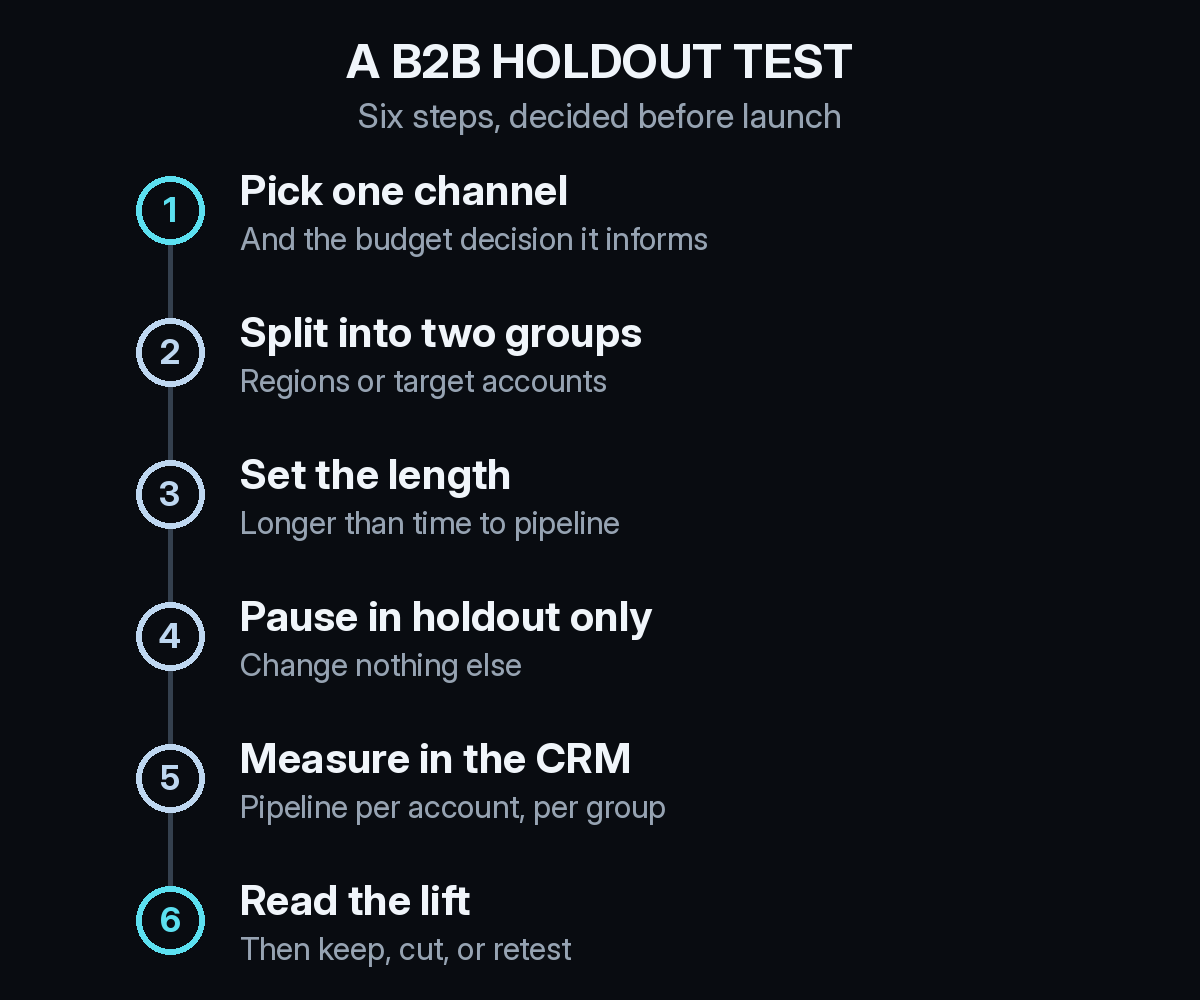
Step 1: Which channel and decision should you test?
Test one channel, and tie it to a budget decision you will actually make. "Should we keep LinkedIn Ads retargeting at the current spend next quarter?" is a good test question. "Does paid social work?" is too broad to act on.
Good candidates are channels where attribution gives a lot of credit that you are not sure about. View-through credit on display or video ads is the classic example, because a view is easy to log and hard to prove. If your reports lean on it, our list of common view-through attribution mistakes is worth reading before you pick.
Step 2: Should you split by region or by account?
A geo split works when the channel supports location targeting and your buyers are spread across many regions. Google Ads and LinkedIn Ads both let you include or exclude locations, so you can run the channel in one set of states or countries and pause it in another.
Many B2B teams sell to a named list of target accounts instead. In that case, split the account list in two and exclude the holdout half from the campaign audience. This keeps the comparison tied to the accounts your sales team actually works.
Whichever unit you choose, the two groups should look alike before the test: similar past pipeline, similar company sizes, and no single large region or account dominating one side. Assign at random where you can, then check the groups against last year's pipeline. If one side already produced far more pipeline, reshuffle.
Step 3: How long should a B2B holdout test run?
Longer than you would like. A buyer who sees an ad this week may not become an opportunity for a month or more, so a two-week test will mostly measure deals that were already in motion.
Set the length from your own data. Look at time to pipeline for the channel you are testing, then run the pause for at least that long and keep reading results for a few weeks after. Short tests on long-cycle channels are a frequent reason a B2B holdout shows no lift when there is one.
Step 4: What has to stay the same during the test?
Everything except the channel you paused. If sales starts an outbound push into the holdout regions, or a new campaign launches only in the exposed group, the result is mixed with other changes and you cannot separate them.
Before launch, write down the groups, the start and end dates, what is paused, the primary metric, and the decision rule. Share it with sales leadership so reps know not to change how they work the holdout accounts. Writing the decision rule first also stops the team from reading the result in whichever way supports the budget they already wanted.
Step 5: How do you measure the result in the CRM?
Measure in the system that holds pipeline and revenue, for example HubSpot or Salesforce, not in the ad platform. The platform cannot report on people it stopped showing ads to, so it has nothing to say about the holdout group.
Use a rate, not a total: opportunities and pipeline dollars per account (or per region, scaled to its size) in each group, over the same dates. Totals mislead when the groups differ in size.
Two softer signals help explain the result. Watch branded search volume in each group, since a paused channel can show up as fewer brand searches before they show up as fewer deals. And read the answers to your "how did you hear about us" field. Our self-reported attribution checklist covers how to collect those answers so they are usable.
Step 6: How do you read the lift and decide?
Subtract the holdout group's pipeline per account from the exposed group's. That difference is the pipeline the channel added. Divide the channel's spend by that added pipeline, or by the customers it added once deals close, and you have an incremental CAC to set next to the CAC your attribution reports.
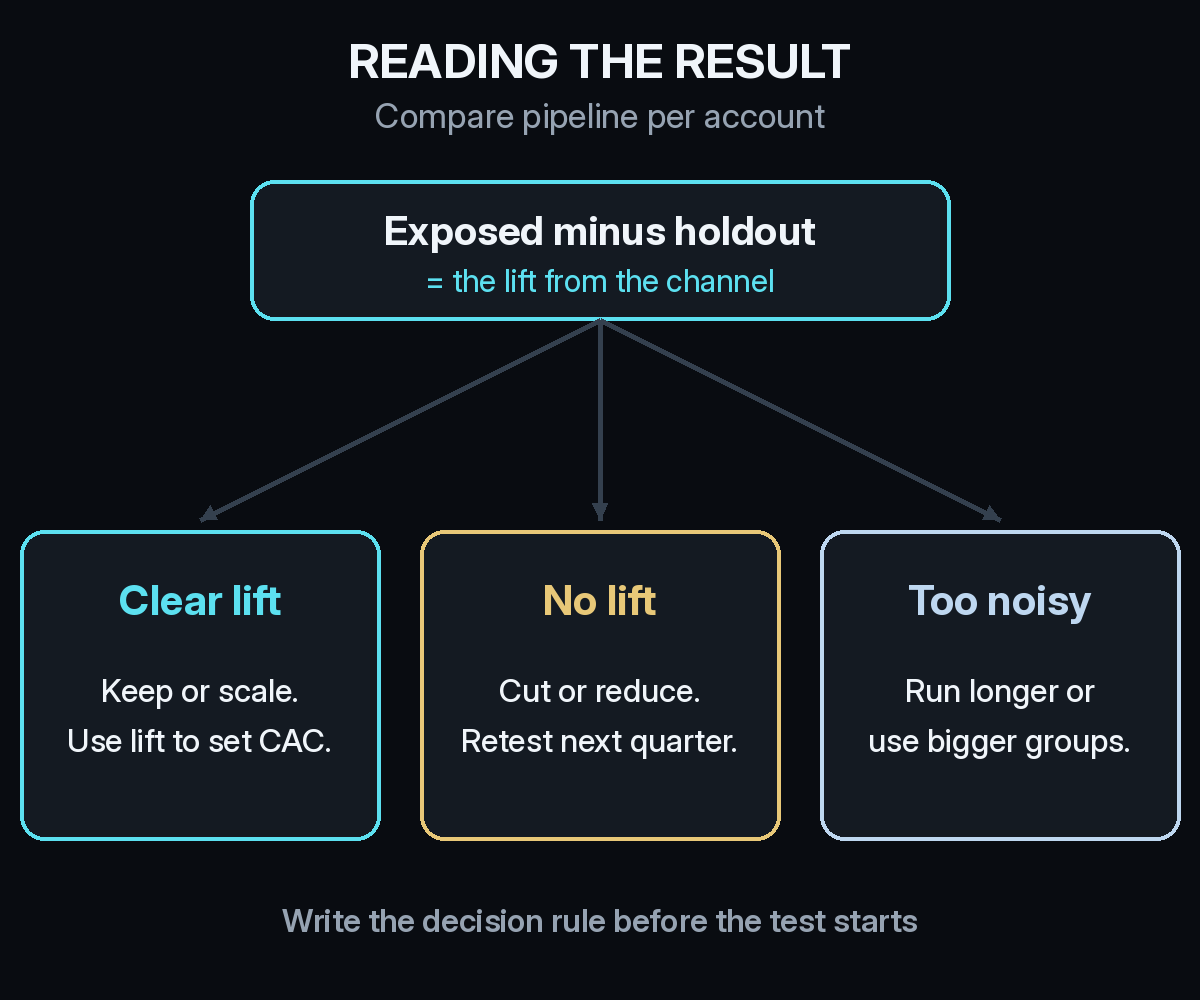
If the lift is clear, keep the channel and use the incremental number to set its budget. If there is no lift, reduce spend and plan a retest, since one null result on a small sample is not proof. If the result is too noisy to call, run longer or use bigger groups next time. When you present this to finance, the CAC by channel view is where the incremental number belongs.
What breaks a B2B holdout test?
Small samples. If each group produces only a handful of opportunities in the test window, normal week-to-week swings will be larger than any lift. Run the test on a channel with enough volume, or accept that you are getting a directional read.
Leakage. Buyers travel, work remotely, and share links with colleagues in other regions. Some people in the holdout group will still see the ads. That shrinks the measured lift, so treat the result as a floor.
Ignoring the buying committee. One contact at a holdout account may still be reached through a colleague in an exposed region. Account-level splits reduce this problem more than geo splits do.
How Source fits alongside a holdout test
Source tracks the path that a holdout test does not: multi-touch journeys, view-through touches, offline touches like events, and visits from ChatGPT, Claude, Perplexity, and Gemini, tied to opportunities and revenue in your CRM. It installs with one pixel, directly or through Google Tag Manager, and needs no data warehouse.
That gives you real CAC and channel quality by channel, so you can compare what attribution credited with what the test measured, and keep watching the channel after the test ends. You can ask your data questions in chat, get AI recommendations, and receive a daily Slack report. Source is SOC 2 Type II and ISO 27001 certified, and your customer data is not used to train external models. If you want the attribution side ready before your next test, you can start free on Source.