


Agency attribution reporting: how to show B2B clients pipeline

Agency attribution reporting means showing each B2B client the path from first visit to booked meeting to closed deal for the work you ran, not a list of leads and clicks. A lead report tells a client you were busy. A pipeline report tells them whether the spend is working, and that is the only report that keeps a retainer safe when a budget review comes around.
This guide covers what to put in a client report, how to set up every client the same way, and how to handle the awkward parts: Direct traffic, AI search, and channels that look weak early.
Why do lead reports stop working with B2B clients?
Because the person reading them is not asking about leads. A founder or a head of sales is asking whether the money you spent turned into meetings and deals. If your report ends at form fills, they will go find the answer in their CRM, and the CRM will often tell a different story than your ad platform does.
The gap is built in. Ad platforms credit themselves for the clicks they see. The CRM credits whatever source was stamped on the contact when it was created. Neither one shows the full path, and in B2B a deal typically has several touches across several months. When the two numbers disagree in a client meeting, the agency is the one who has to explain it.
The fix is a report built on the whole path, with the same definitions the client's sales team already uses.
What should a client attribution report include?
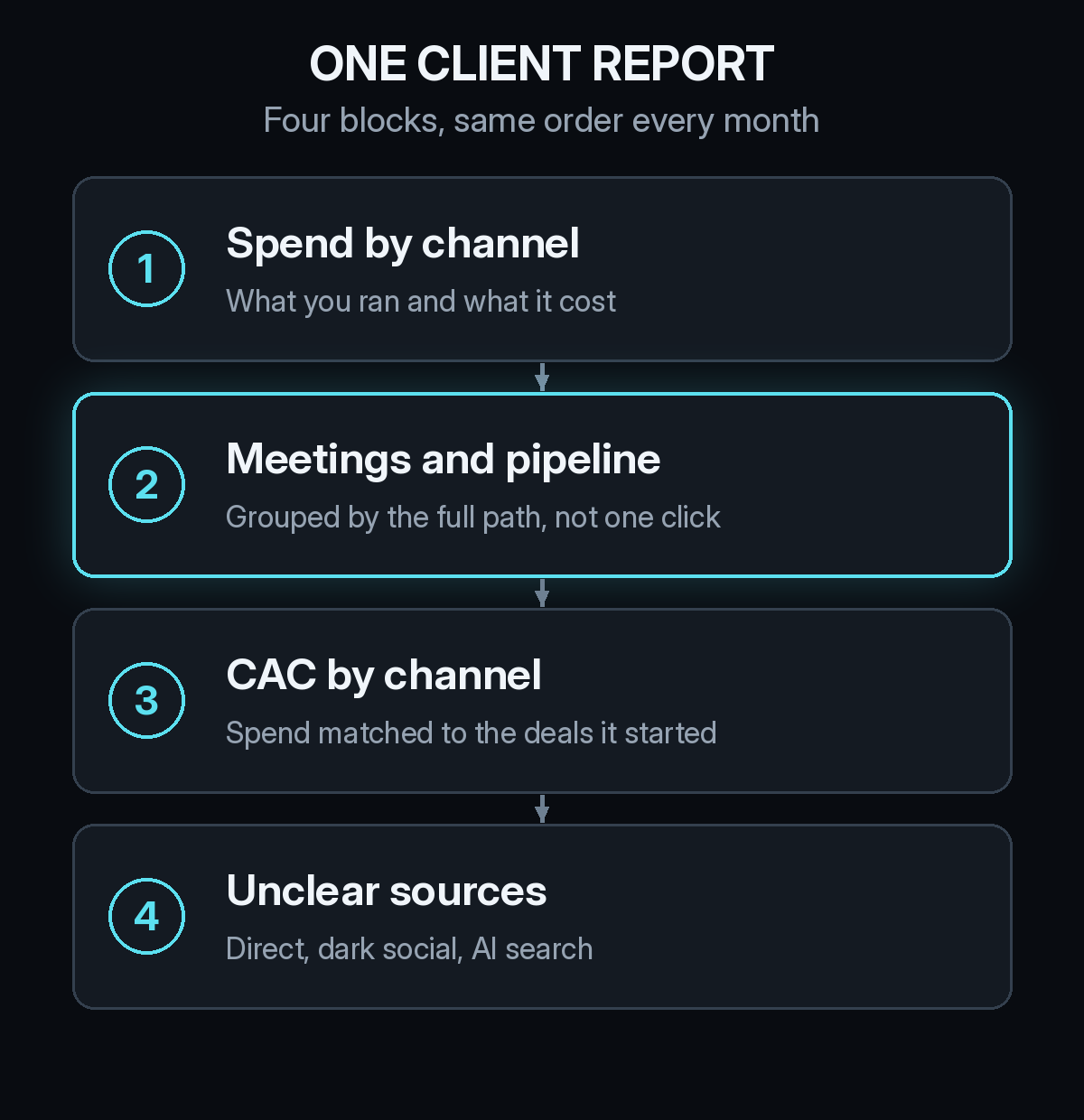
Four blocks, in the same order every month. Consistency matters more than polish, because clients learn where to look and stop asking for custom cuts.
- Spend by channel. Pull it from Google Ads, LinkedIn Ads, and whatever else you manage. This is the baseline everything else is divided by.
- Meetings and pipeline. Count booked meetings and opportunities, grouped by the channels on each account's path, not only the last click. Show the channels you did not run alongside the ones you did, so the client sees the full picture.
- CAC by channel. Match spend to the deals it started. Our guide to reading CAC by channel when deals take months shows how to do that without dividing this month's spend by this month's customers.
- Unclear sources. Report the share of traffic and meetings that landed in Direct or unknown, and say whether it is growing.
That last block is the one agencies skip, and it is the one that builds trust. A client who sees you flag your own blind spots believes the rest of the report.
How do you set up attribution for every client the same way?
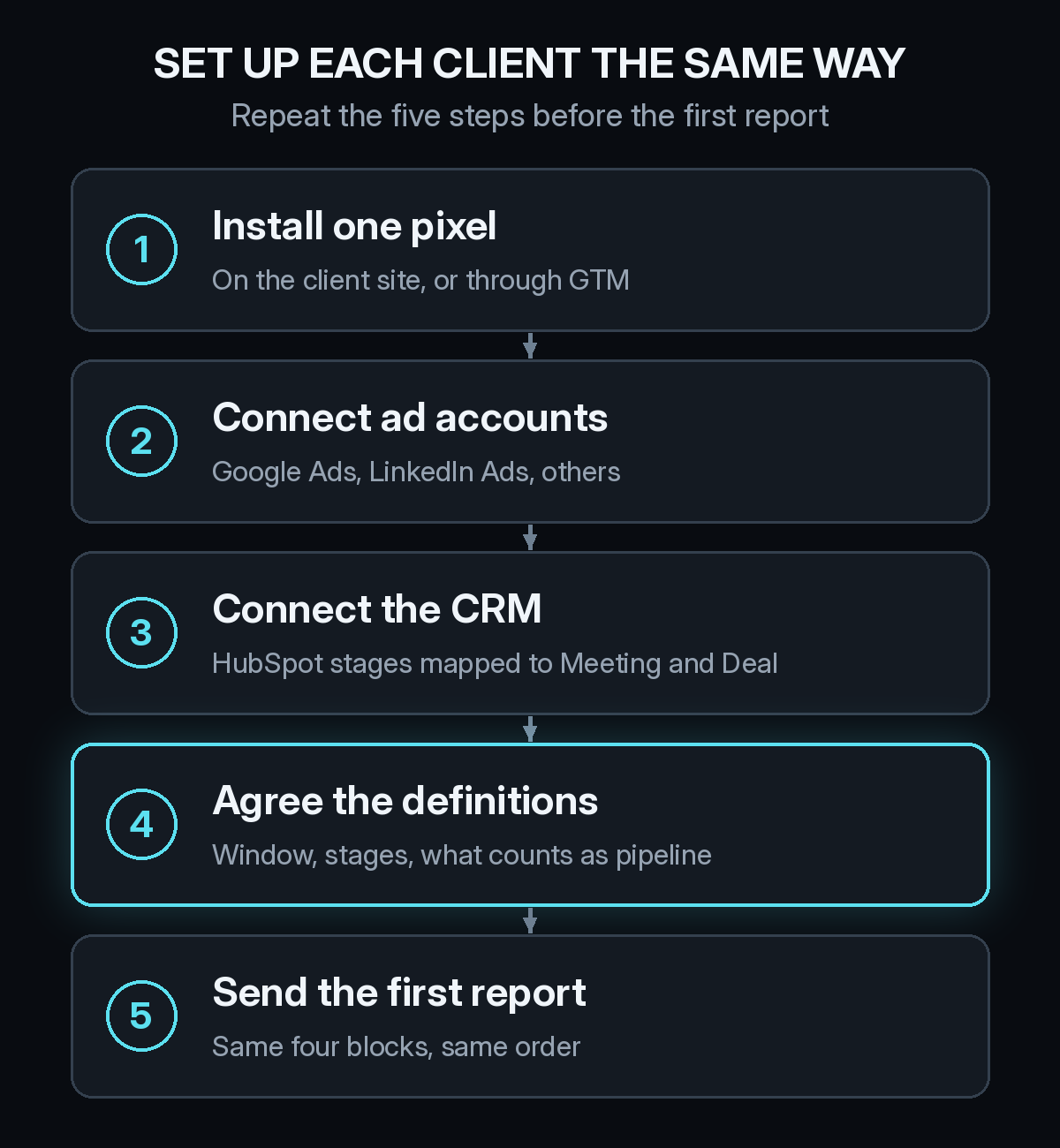
Repeat one setup per client and you can deliver the same report across the whole book. It takes five steps.
Install one tracking pixel on the client site, or deploy it through Google Tag Manager if that is how the client manages tags. Connect the ad accounts you run. Connect the CRM, which in most mid-market B2B accounts is HubSpot, and map its lifecycle stages to the events you will report on, such as meeting booked and deal created.
Then do the step most agencies skip: agree on definitions in writing before you send the first report. Decide what counts as pipeline, which CRM stage marks a qualified meeting, and how long a lookback window you will use. Our post on the B2B attribution window explains why a window shorter than the sales cycle drops early touches from the path. Settle that with the client now and you avoid a fight about it later.
Clean CRM data is the other dependency. If a client's lifecycle stages are stale or reps skip fields, every number downstream suffers. The CRM hygiene checklist for B2B attribution gives you a short list to review with the client during onboarding.
How do you report on Direct traffic and AI search?
Show them, do not bury them. A growing Direct share is usually a tracking break or dark social, not a mystery, and clients respect a report that says so. Our explainer on Direct traffic in B2B attribution covers the common causes.
AI search deserves its own line. Buyers who find a client through ChatGPT, Perplexity, or other assistants often arrive without a UTM, so the visit lands in Direct. If you can separate those visits, you can tell the client something new about where demand comes from. The post on LLM attribution and ChatGPT traffic explains how.
For channels that never produce a click, such as podcasts and word of mouth, add a "How did you hear about us?" field to the demo form and report it beside the tracked data. The self-reported attribution checklist shows how to set it up.
How do you talk about a channel that looks weak in the first month?
Bring the timeline with you. B2B channels do not create deals at the same speed, and a program that looks quiet at 30 days may be on schedule. Before a client cuts something, show them how long each B2B channel takes to create deals and where their program sits against it.
Then agree on the leading signal. For a new LinkedIn campaign it might be meetings from target accounts by day 45. For a content program it might be the number of accounts with two or more visits. Write it down so the review is about whether the signal arrived, not about how anyone feels.
A weekly or monthly rhythm helps here. Our guide to a 30-minute weekly attribution review works as an internal check before the client call, and the one-slide attribution summary for the board is a good template when the client needs something to forward upward.
What changes in the client conversation?
The meeting stops being about whether the numbers are right and starts being about what to do next. You are no longer defending a lead count. You are pointing at a path and saying which touches are earning pipeline and which are not, including the ones that make your own channel look smaller than expected.
That is a harder position to take, and a safer one. Clients rarely fire the agency that shows them where the money is going, even when the answer is uncomfortable.
Running client reporting with Source
Source builds the path for you. Install one pixel or a Google Tag Manager tag, connect ad accounts and the CRM, and Source stitches each account's journey from first visit to closed deal, with no warehouse to set up. Multi-touch, view-through, offline, and LLM attribution all run on the same path, along with real CAC, goals, and channel quality.
Daily Slack reports show spend and new meetings by channel, AI recommendations point out what moved, and you can chat with the data to answer a client's question during the call. If you use an AI agent for reporting, it can query the same data through the Source MCP server, as described in our MCP launch post. Source is SOC 2 Type II and ISO 27001 certified, and customer data is not used to train external models.
If you want the next client report to start from the full path, start free at dash.source.app/signup and install the pixel on one client site.