


LinkedIn ads attribution for B2B pipeline
LinkedIn ads attribution for B2B means connecting LinkedIn Ads spend to pipeline and closed revenue, not stopping at form fills or platform conversion counts. A click or a view only matters when you can follow it through the site, the CRM Contact, the Opportunity, and the Deal.
Most B2B teams already run LinkedIn because buyers live there by job title and company. The hard part is reading what those ads actually produced when the sales cycle stretches weeks or months. This deep dive covers what Campaign Manager reports, what your CRM knows, how view-through and attribution windows fit, how to read CAC and pipeline quality from LinkedIn spend, and a practical reconciliation checklist.
What LinkedIn Ads reports vs what your CRM knows
Campaign Manager is built to optimize ads. It shows impressions, clicks, cost, and conversions based on the pixels, Insight Tag events, and attribution settings you chose inside LinkedIn. Those numbers answer whether the creative and audience are working for the goal you set in the platform.
Your CRM answers a different question: which Opportunities and closed Deals can be tied back to LinkedIn. That path usually runs through UTMs on the landing URL, a Contact created from a form or meeting booker, campaign membership, and later Opportunity stages. If LinkedIn reports a conversion and the CRM never sees a Contact with a LinkedIn first-touch or multi-touch path, the two systems are not talking about the same event.
Treat platform conversions as a leading signal for creative and bidding. Treat CRM pipeline attributed to LinkedIn as the scorecard for budget. Teams that report only one of those two views either overfund ads that fill forms and never become pipeline, or underfund ads that assist Deals the platform never counted. Our guide to UTM mistakes that send B2B deals to Direct covers how broken tags make LinkedIn look empty in the CRM even when Campaign Manager looks healthy.
Click paths, view-through, and the attribution window
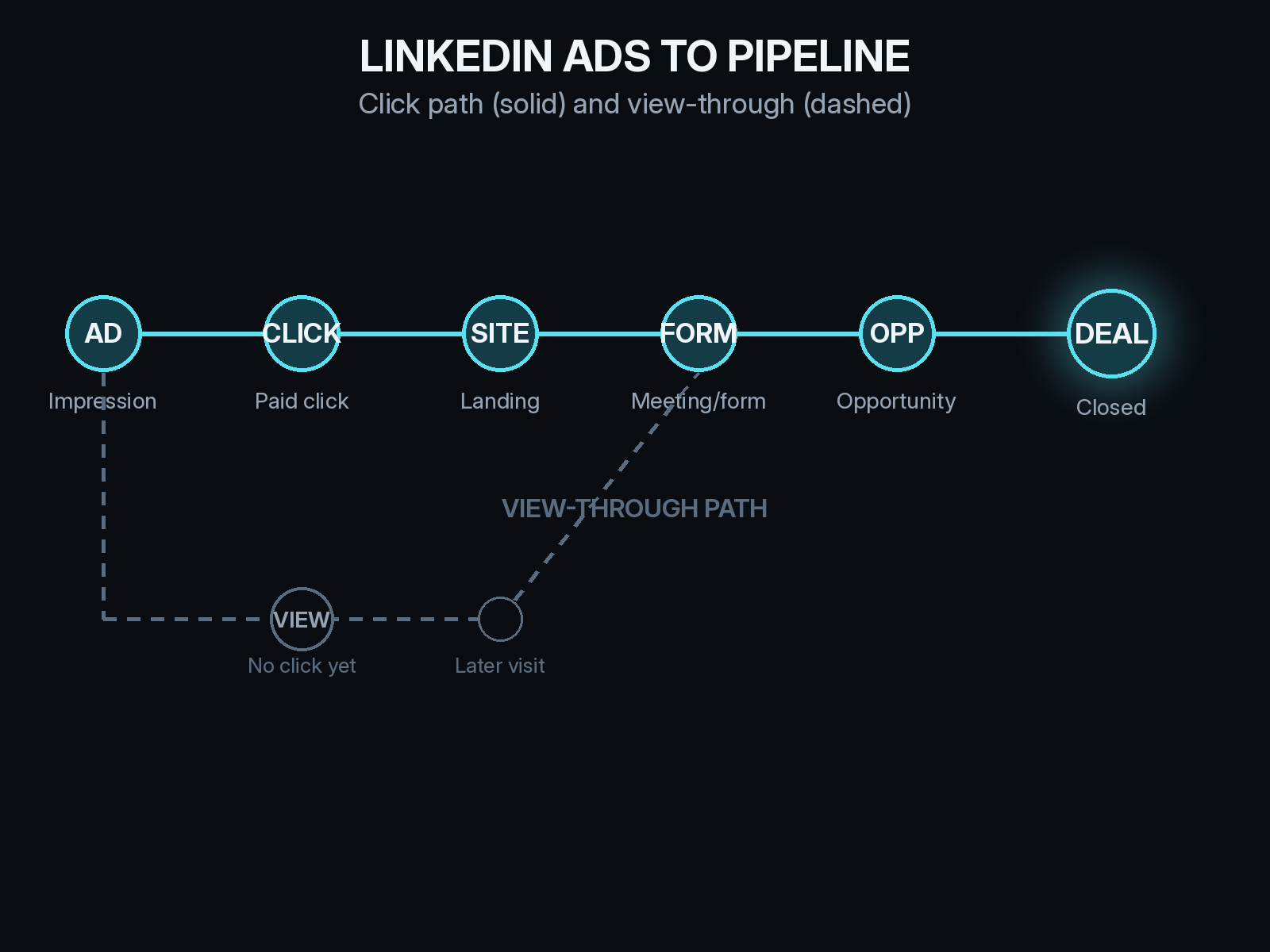
A click path is the easy case: someone clicks the ad, lands with LinkedIn UTMs, then converts later as a known Contact. View-through is the quieter case: they see the ad, do not click, and later arrive through search, email, or Direct. Without view-through in your model, that impression never touches the Deal path. Organic posts from your company page and founders leave even less behind, with no impression data to join, and our guide to organic social attribution when buyers never click the post covers how to track them.
View-through only helps when you can join the impression to a later identified visit inside a defined window. Our explainer on what view-through attribution means in B2B walks through how to read those assists without treating every impression as a win. Pair that with an attribution window sized to your real cycle. If Deals routinely take 90 days from first touch to close, a seven-day click window will hide most of LinkedIn's contribution. Our post on the attribution window for long B2B sales cycles shows how to set that lookback from closed-won history rather than from the ad platform default.
Write the rule once: which LinkedIn events count (click, view, both), how long they remain eligible before the Opportunity, and whether credit is first-touch, last-touch, or multi-touch. Then apply the same rule every quarter so board slides stay comparable.
How to read CAC and pipeline quality from LinkedIn spend
CAC by channel for LinkedIn should use the spend that belongs to the cohort, not a single day's Campaign Manager CPL. Sum LinkedIn cost for the period, then divide by the New Customers (or closed-won accounts) whose attributed path includes LinkedIn under your model. If you only divide spend by form fills, you will get a cheap CAC that never shows up in revenue.
Pipeline quality matters as much as volume. Look at Opportunity create rate from LinkedIn-sourced Contacts, stage conversion, average deal size, and win rate next to other paid channels such as Google Ads. A channel that produces fewer Opportunities but higher win rates can still be the better place for the next dollar. Our guide on how to read CAC by channel when deals take months covers cohort timing so you do not judge last month's LinkedIn spend against this week's closes.
Marketing-sourced pipeline from LinkedIn should use your written sourced rule on the full path. Influenced pipeline can list every Deal that had a LinkedIn touch without claiming LinkedIn started it. Keep those two columns separate so sales and marketing are not arguing over a single label.
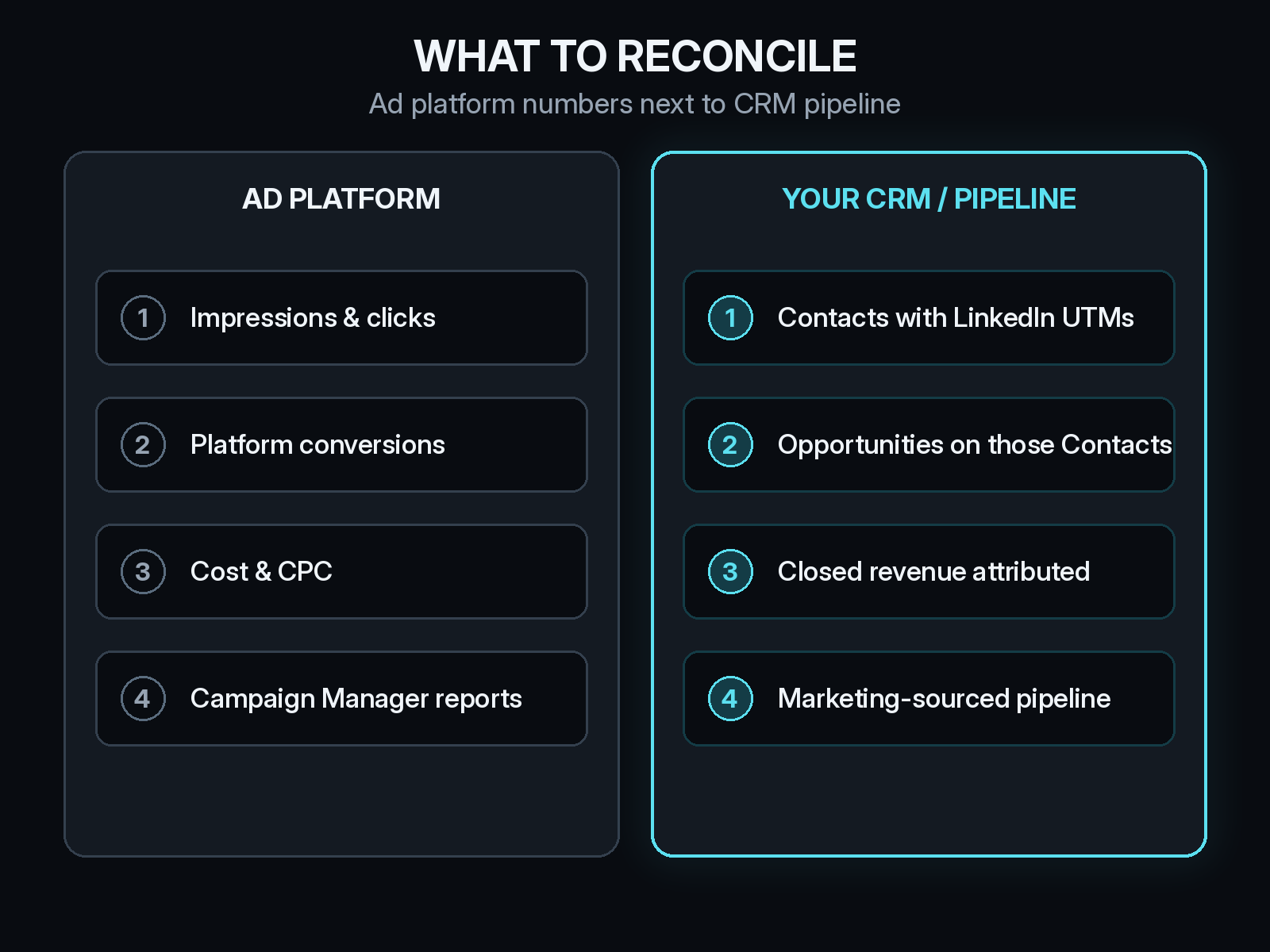
A practical reconciliation checklist (platform to UTMs to CRM)
Run this checklist when LinkedIn looks strong in Campaign Manager and weak in pipeline, or the reverse:
- Click a live ad. Confirm the landing URL carries consistent utm_source, utm_medium, and utm_campaign values, and that redirects do not strip them.
- Check the Insight Tag and conversion events. Match the events LinkedIn optimizes on to the same moments you care about in the product (demo booked, trial started), not a vague page view.
- Find Contacts with LinkedIn UTMs. In HubSpot or your CRM, pull Contacts whose first-touch or latest-touch source is LinkedIn for the same date range as the campaign.
- Trace Opportunities on those Contacts. Count Opportunity creates, open pipeline, and closed-won. Note Deals with LinkedIn on the path that were sourced elsewhere.
- Compare windows. Align Campaign Manager's attribution window with your CRM lookback so you are not comparing a 7-day platform conversion to a 90-day Deal path.
- Explain the gap in one sentence. Tag loss, late Contact creation, view-through excluded, or true weak pipeline. Fix tracking before you cut spend when the gap is measurement.
Do this once a month for active LinkedIn campaigns. The goal is a shared story: platform health for optimization, CRM pipeline for investment. If you are a small team running LinkedIn for the first time, our walkthrough of attribution for early-stage B2B startups shows how to judge a one-quarter test with only a few deals.
How Source connects LinkedIn ads to pipeline
Source installs with one pixel or GTM, with no data warehouse to build. It records visits and LinkedIn UTMs, keeps multi-touch paths including view-through and offline touches, and ties them to Contacts and Deals so you can see real CAC, goals, and channel quality. You can chat with your data, get AI recommendations, and receive daily Slack reports. Source also covers LLM attribution for AI search traffic. Source is SOC 2 Type II and ISO 27001 certified, and customer data is not used to train external models.
Start free at dash.source.app/signup and see which LinkedIn campaigns actually reach Opportunity and closed revenue.