


What a LinkedIn attribution platform should show you: a checklist

A LinkedIn attribution platform should connect what LinkedIn actually did for an account, including ad views, ad clicks and posts people read without clicking, to the opportunities and closed-won revenue in your CRM. If a tool can only tell you which clicks turned into form fills, it is reporting on a small slice of how LinkedIn works for B2B.
Below is the checklist we would use to judge any LinkedIn attribution tool, including the one you may already have, with the question to ask for each item.
What does a LinkedIn attribution platform need to connect?
Three things have to join up. First, the LinkedIn touches themselves: impressions, clicks, and visits that came from organic posts. Second, the people and accounts those touches belong to. Third, the deals in your CRM. A report that stops at the first step tells you about engagement. A report that reaches the third tells you about pipeline.
LinkedIn's own reporting in Campaign Manager is built around the first step, plus the conversions its Insight Tag can see on your site. That is useful for running campaigns. It was not built to show the rest of the journey after the click, or the touches that never produced one. For the basics of how LinkedIn ads fit into a B2B path, start with our guide to LinkedIn ads attribution for B2B pipeline.
Where does LinkedIn influence go missing?
LinkedIn does a lot of its work before anyone clicks. A director sees your ads a few times over a month. She reads a post from your founder in her feed. A manager on her team clicks an ad, looks around, and leaves. A week later the director searches your brand name and books a demo.

A click-based report sees one ad visit from the manager and a demo that came from branded search. The ads the director saw, the founder post and the account link between the two people are all gone. LinkedIn looks like it produced one bounced visit, and branded search takes credit for demand it only caught.
What should be on the LinkedIn attribution checklist?
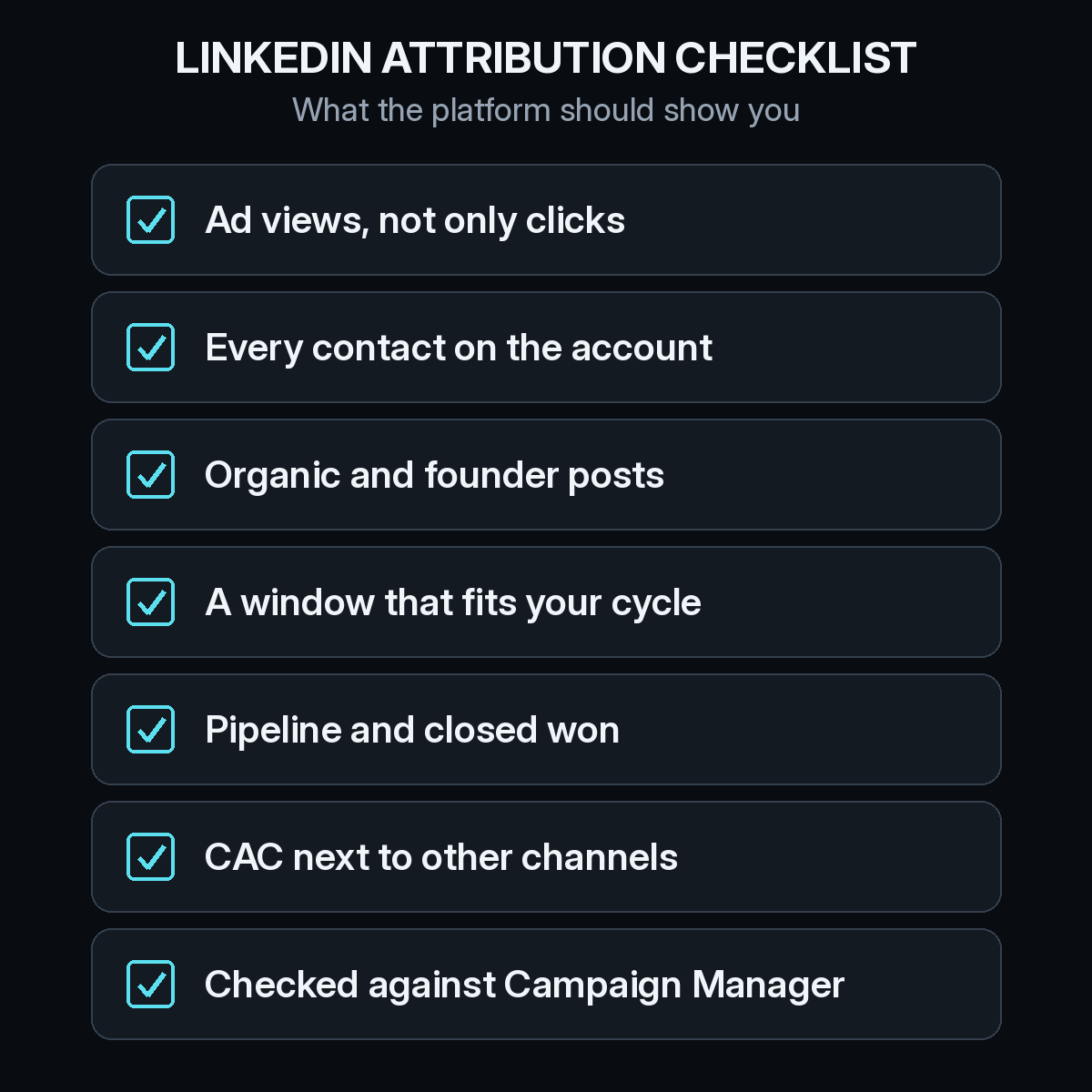
1. Ad views, not only clicks
Ask whether the tool can show accounts that saw a LinkedIn ad and later came to your site some other way. In B2B that view-through effect is often most of what LinkedIn ads do. Our explainer on view-through attribution in B2B covers how to count it without overcrediting it.
2. Every contact on the account
The person who clicks is often not the person who books the demo. The platform should roll LinkedIn touches up to the account, so the manager's click counts toward the director's deal. This is the same problem we covered in how buying committees break single-contact attribution.
3. Organic posts and founder content
Company page posts and posts from founders and employees drive a lot of B2B demand, and many of them carry no link at all, because posts with links tend to get less reach. Ask how the tool records a LinkedIn referral when someone does click a profile or comment link, and how it shows the branded search and direct visits that follow a strong post. Our piece on organic social attribution when buyers never click goes deeper on this.
4. A window that fits your sales cycle
If deals take three or four months, a lookback window of a few weeks will drop the first LinkedIn touches before the opportunity exists. Ask what the default is and whether you can change it. Our explainer on choosing an attribution window for long B2B cycles has the details.
5. Pipeline and closed-won, from the CRM
Form fills and leads are not the result. The platform should read opportunities and closed-won revenue from your CRM, such as HubSpot, and show which of them had LinkedIn on the path. Ask to see one real deal traced from first LinkedIn touch to close.
6. CAC next to every other channel
LinkedIn CPCs are high, so the question is never just whether LinkedIn worked. It is what a dollar of pipeline costs on LinkedIn next to Google Ads, events, podcasts and AI search. The tool should use the same model and window for every channel, or the comparison means nothing. See our guide to CAC by channel in B2B attribution.
7. Results you can check against Campaign Manager
Your numbers will never match LinkedIn's exactly, because the two systems count differently. A good platform shows where they differ and why, instead of hiding the gap. Our walkthrough of why attribution numbers disagree across tools explains the usual causes.
Which questions should you ask in a demo?
Ask the vendor to show, on your own data or a realistic sample, one closed deal where LinkedIn played a part. Then ask:
- Which LinkedIn touches on this deal came from someone other than the contact who converted?
- Which touches were ad views with no click, and how are they credited?
- Where would a founder post show up if nobody clicked it?
- What does LinkedIn's CAC look like next to our other paid channels for the same period?
If the answers stay at clicks and leads, you are looking at a click tracker. For broader questions that apply to any attribution tool, our list of questions to ask before you buy B2B attribution software covers setup, data ownership and security.
What should you not expect from any platform?
No tool records every conversation. A post forwarded in a private chat or a recommendation over coffee will not show up as a touch. A good platform narrows that gap with view-through and account-level data, and is honest about what is left. That is why we think of B2B marketing attribution as an estimate worth making better, not a perfect record.
How does Source handle LinkedIn attribution?
Source captures the buyer journey with one pixel, installed directly or through Google Tag Manager, with no warehouse to set up. LinkedIn ad clicks, ad views through view-through attribution, organic LinkedIn visits, offline touches and visits from ChatGPT, Claude, Perplexity and Gemini all land on the same multi-touch path, joined to the account and the deal.
From there you get real CAC for LinkedIn next to every other channel, progress against your goals, and channel quality. You can chat with your data to ask which LinkedIn campaigns show up on won deals, get AI recommendations on where to move budget, and get a daily report in Slack. Source is SOC 2 Type II and ISO 27001 certified, and customer data is not used to train external models.
If you want to run this checklist against your own LinkedIn spend, you can sign up for Source and install the pixel today.