


YouTube for B2B: tracing a video view to a closed deal

YouTube attribution in B2B means connecting a video view to the website visit, demo request, and deal that came after it. Most of that path happens without a click. A buyer watches a walkthrough, closes the tab, and searches your brand name a few days later. Last-click reporting files that deal under branded search or direct, and the channel that did the work gets nothing.
This post walks through one scenario end to end: a B2B software team that posts product videos every week and wants to know whether the channel produces pipeline. The team is made up for illustration. The setup is real.
What does a YouTube buyer path actually look like?
Picture the team's head of marketing. The channel gets steady views, a few comments from people who sound like buyers, and very few link clicks. YouTube Studio shows watch time and subscribers. The CRM shows no deals from YouTube at all.
Both are telling the truth. The path just breaks between them.

A typical path runs like this. Someone in an ops role finds a tutorial through search on YouTube. They watch most of it on their phone. A week later, the same person types the company name into Google on a work laptop, reads the pricing page, and books a demo. By the time the opportunity exists, the original view is invisible to the CRM.
That gap between watching and visiting is the same problem we covered in our piece on dark social attribution. For teams that publish video, YouTube is one of the biggest sources of it.
Which YouTube clicks can you track directly?
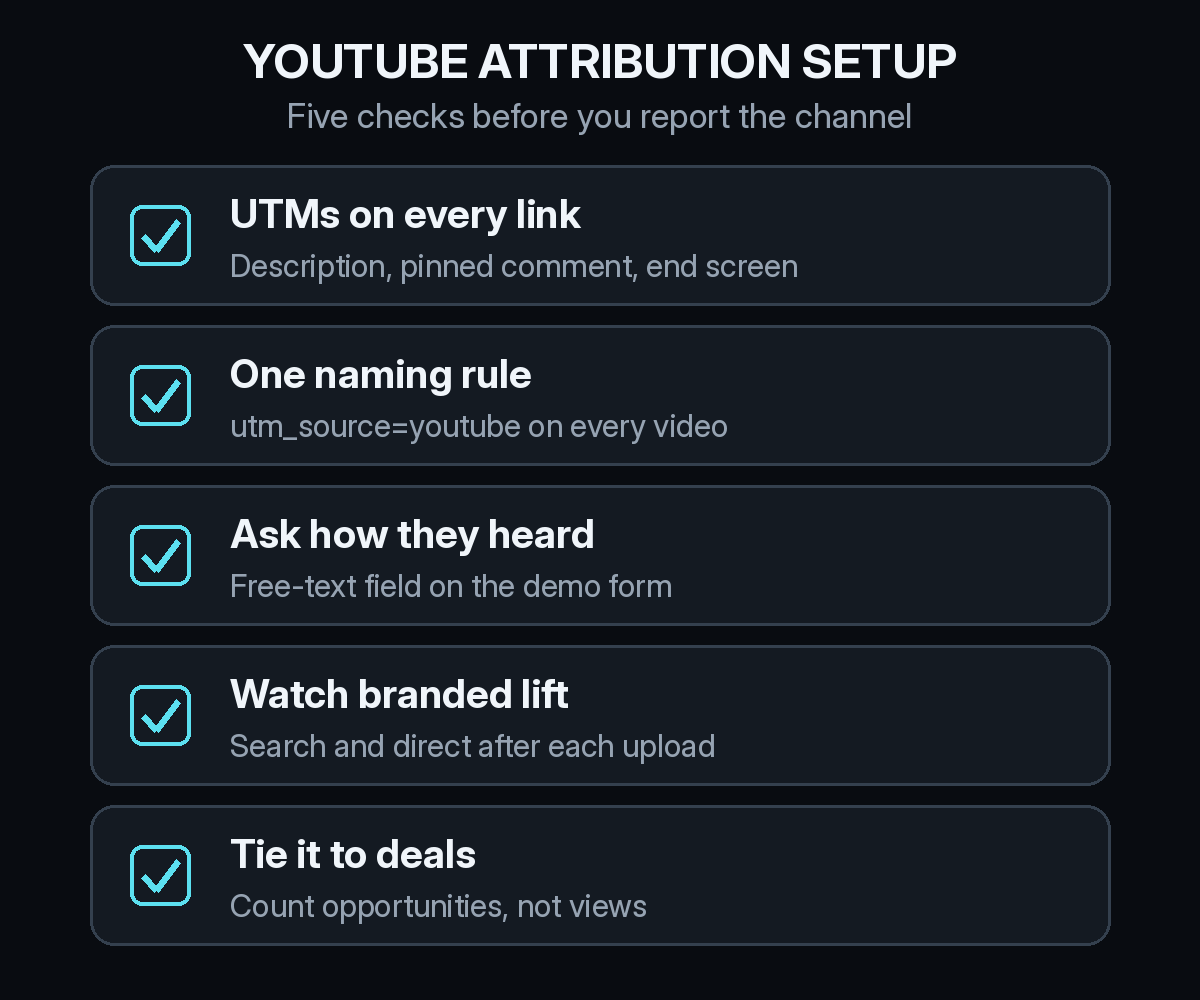
Start with the clicks you can catch, because they are the easy part. Put UTM-tagged links in every video description, in the pinned comment, and anywhere else the platform lets you add a link. Use utm_source=youtube, a medium such as organic_video, and a campaign value per video so you can see which ones send traffic.
Keep the naming strict. If one video says youtube and another says YouTube.com, your reports split the channel in two. Our list of UTM mistakes that break B2B attribution covers the usual ways this goes wrong.
Expect these clicks to be a small share of the real impact. They are still worth having, because they give you a clean, provable floor for the channel.
How do you catch the views that never click?
This is where most of the value sits, and there are three practical ways to see it.
The first is asking. Add a free-text how did you hear about us field to the demo form. People who found you on YouTube will often say so, sometimes naming the exact video. Our self-reported attribution checklist shows how to add a field you can actually report on.
The second is watching for lift. When a video does well, look at branded search and direct visits in the days after it goes up. A rise that lines up with uploads is a signal, not proof, but it points in the right direction. We wrote more about reading that signal in who gets credit when a buyer searches your brand name.
The third is keeping the person's full path. When the same visitor's first tagged YouTube visit and their later branded search visit sit on one record, the video gets credit even though the demo came from a different session.
What changes when you run YouTube ads?
Paid video adds a second kind of touch. YouTube ads run through Google Ads, which can report view-based conversions as well as clicks. Those numbers come from the ad platform, so treat them as the platform's own view of its impact.
The better check is your CRM. Did the accounts that saw the ads go on to create opportunities at a higher rate than accounts that did not? That is the question view-through attribution in B2B is meant to answer. Keep organic and paid YouTube as separate channels in your reporting, so a strong ad month does not hide a weak organic one.
How should the team report YouTube to leadership?
In our scenario, the head of marketing ends up with three numbers each month. Opportunities with a tagged YouTube touch anywhere on the path. Opportunities where the buyer named YouTube on the form. And the branded search trend around uploads. The first two are counts you can defend. The third is context.
Report the overlap honestly. Some deals will show up in both the tracked and the self-reported column. Count the deal once and note that both methods agreed. When they disagree, the self-reported answer is often closer to what the buyer remembers, and the tracked path is closer to what they did.
Then judge the channel on the same terms as everything else: pipeline created, win rate, and cost. Organic video has production cost even with no media spend, so include it when you talk about CAC by channel.
Where do AI assistants fit in?
AI assistants can cite YouTube videos when they answer a question. A buyer might ask ChatGPT, Claude, Perplexity, or Gemini how to solve a problem, get pointed to your tutorial, and then arrive on your site from the assistant instead of from YouTube. If you track LLM referrals as their own channel, you can see when that happens instead of losing it in direct traffic. Our guide to LLM attribution and ChatGPT traffic explains how to separate those visits.
How Source handles YouTube attribution
Source connects the website visit to the CRM deal. You install one pixel or add it through Google Tag Manager, and there is no warehouse to build. Tagged YouTube visits, later branded search and direct visits, LLM referrals, and view-through touches from paid video sit on the same buyer path, tied to the opportunity in a CRM like HubSpot.
From there you can ask which videos and channels show up in pipeline, compare first-touch and multi-touch credit, see real CAC next to channel quality, and get a daily Slack report on what changed. If you want to see where your YouTube viewers end up, you can start free on Source.