


How to attribute B2B pipeline to partner referrals

Partner attribution means connecting a B2B deal back to the referral partner, channel partner, or co-marketing partner that introduced the buyer. Warm intros rarely leave a clean click. The intro arrives as an email forward, a shared deck, a dinner handshake, or a form answer that says "partner," and last-click reports hand the deal to Direct or branded search.
This guide covers why partner pipeline looks invisible, which signals to collect, how to set up the path so a partner stays on the deal, and which numbers belong in the partner report.
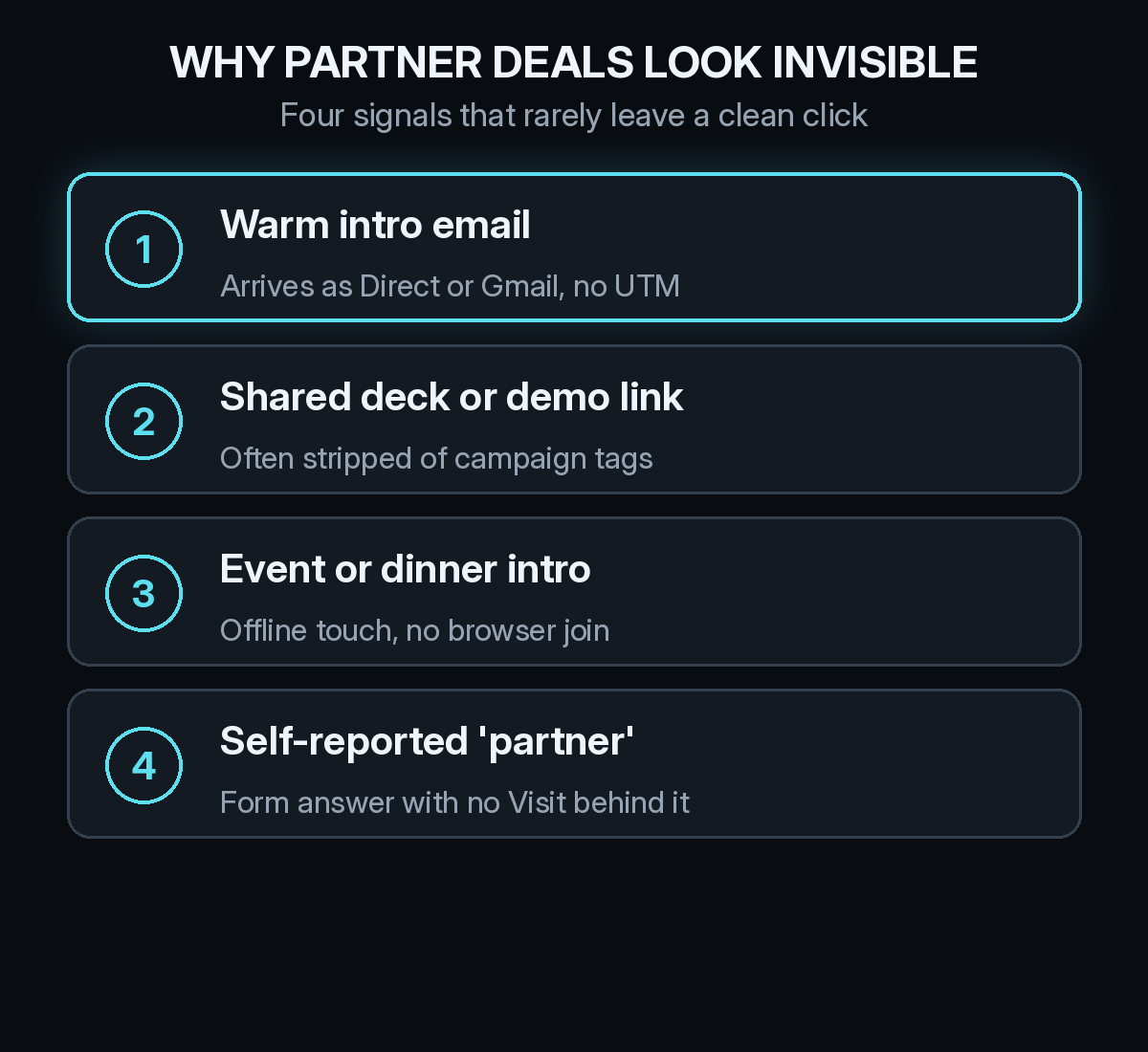
Why do partner deals disappear in attribution reports?
Because the first touch rarely hits your site with a UTM. A partner forwards a pricing page. A founder makes an intro over email. A buyer meets your team at a partner dinner and types your URL a week later. Each of those arrivals can land as Direct, as a Gmail referrer, or as a Visit with no campaign tag.
Ad platforms never saw the intro. The CRM often stamps Lead Source as "Referral" with no partner name. By the time the deal closes, the partner who started it is gone from the path. That is the same pattern as dark social and podcasts: demand that did the work, credit that went somewhere else. Our guide to finding deals that hide in Direct traffic covers the broader version of this gap.
Which partner signals should you collect?
Start with a partner-tagged link. Give each partner a short URL on your domain with utm_source set to the partner name and utm_medium set to partner or referral. Put that link in co-marketing emails, shared decks, and partner portals so the first Visit carries a name you can join later.
Next, log the intro as an offline touch. When sales gets a warm email intro, record the partner and the date the same way you would log a conference. Our post on offline attribution in B2B shows how those touches sit next to web Visits on a buyer's timeline.
Then ask on the demo form. Add "Partner" or "Referral" as an option on "How did you hear about us?" with a free-text box for the partner name. Self-reported answers are messy, but they catch intros that never clicked. The self-reported attribution checklist covers how to word and store the field.
Finally, keep partner view-through and co-branded impressions in scope when you run joint campaigns. An impression on a partner newsletter or a co-webinar can shape the return Visit without a click, which is the same mechanic covered in view-through attribution for B2B.
How do you set up partner attribution step by step?
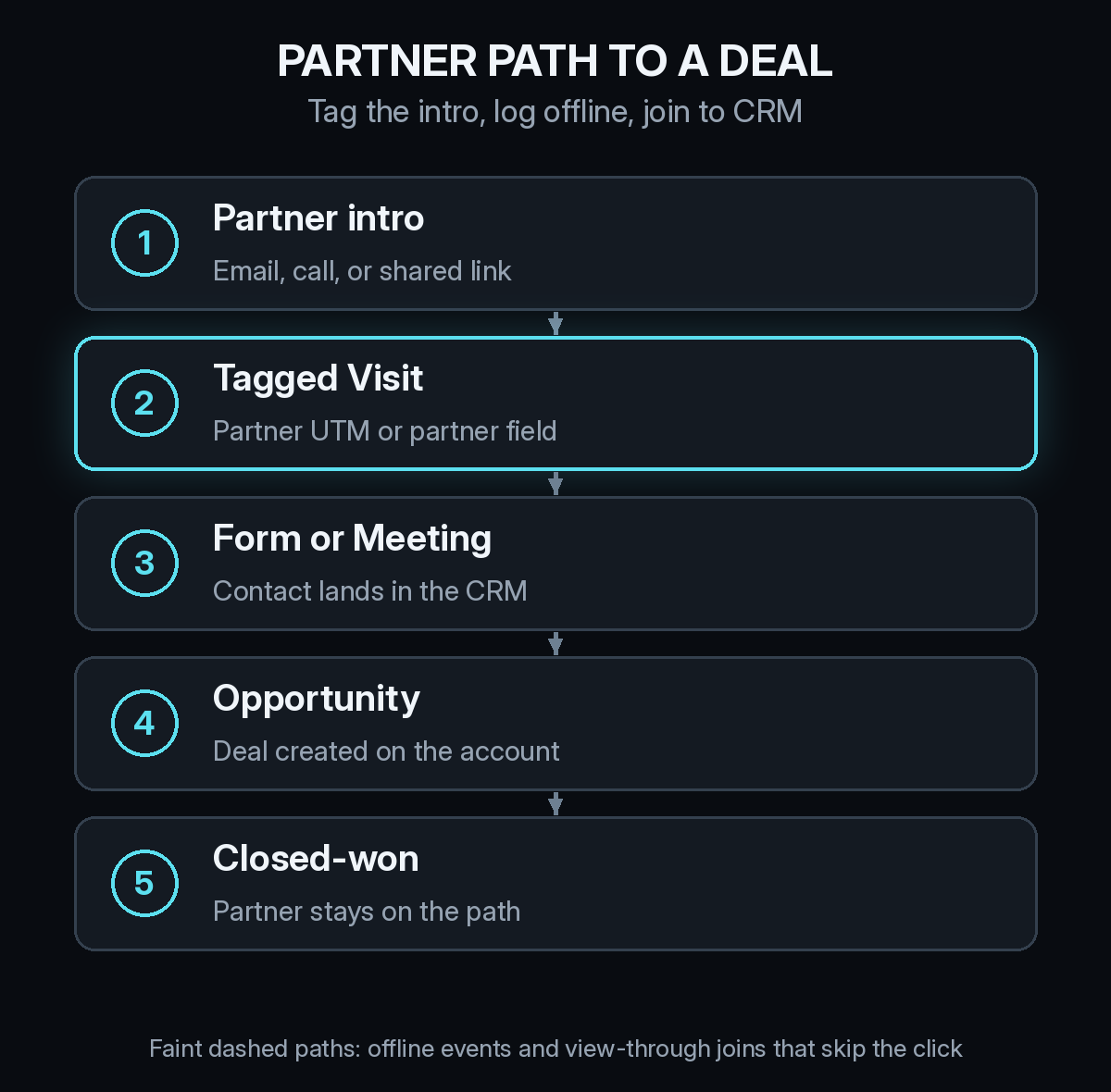
Work through these five steps once per partner program, then keep the naming stable.
- Name every partner in your UTM scheme. One source value per partner, one medium for the program. Consistency beats cleverness.
- Give sales a place to log intros. A CRM field for partner name, plus an offline activity or note that carries the intro date.
- Tag the first Visit when it exists. Partner links, portal redirects, and co-marketing landing pages should all carry the same tags.
- Join Visits and intros to Contacts and Deals. Whether you use HubSpot or another CRM, the partner field has to survive from Contact to Opportunity to closed-won.
- Report partner-touched pipeline, not only last-click partner deals. Partners usually assist. Last click will undercount them.
If partners also send traffic through review sites or podcasts, keep those channels separate. A G2 click is not a partner intro, and mixing them makes CAC unreadable. Our guides to review site attribution and podcast attribution cover those paths on their own.
What should a partner attribution report include?
Lead with pipeline and Meetings that carry any partner signal on the path, then split by partner. Add cost per opportunity when you pay fees, revenue share, or co-marketing spend. Then show CAC for partner-sourced cohorts once enough deals have closed. Partner deals often take months, so match spend to the cohort the intro started, as in our guide to reading CAC by channel when B2B deals take months.
Also report the share of partner mentions that have no tagged Visit. That number tells you whether sales is logging intros and whether partners are using the links you gave them. A weekly check fits cleanly into a 30-minute weekly attribution review.
Where partner attribution usually goes wrong
Teams credit every deal a partner ever touched as "partner-sourced," which inflates the channel. Keep a sourced view and an assisted view. Teams also reuse one generic "Referral" source for every partner, so nobody can tell which partner earned the pipeline. And teams judge a new partner after two weeks. Warm intros need a lookback that covers your sales cycle, the same rule that applies to every slow B2B channel in time to pipeline by channel.
How Source tracks partner attribution
Source installs with one pixel or through Google Tag Manager, with no warehouse to build. It records every Visit with its referrer and UTM tags, keeps offline partner intros on the same path, and joins multi-touch, view-through, and LLM attribution from ChatGPT, Claude, Perplexity, and Gemini to Meetings and Deals. You can chat with the data, get AI recommendations, and read daily Slack reports that keep partner-touched pipeline visible.
Real CAC by channel puts partner fees next to the deals they started. Source is SOC 2 Type II and ISO 27001 certified, and customer data is not used to train external models.
If partner intros are disappearing into Direct, start free at dash.source.app/signup and install the pixel.